
Install
Install with PiG
pig install npm:@ravshansbox/pi-zedInstall with Pi
pi install npm:@ravshansbox/pi-zedReview before installing
Packages run code with your permissions and influence agent behavior. Catalog inclusion is not a security audit. Review the source before installing a third-party package.
Pi manifest JSON
The pi field of package.json.
{
  "extensions": [
    "./index.ts"
  ]
}
README
Written by the package's publisher, shown as published in version 0.4.2 (README.md). PiG does not review it.
pi-zed
Zed editor context extension for pi.
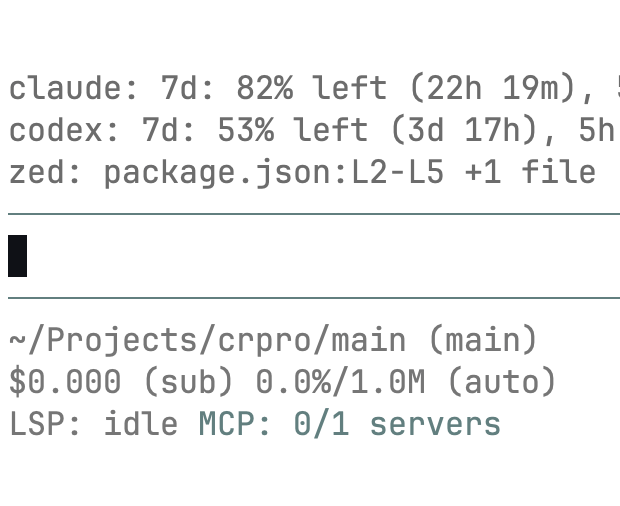
Install
pi install npm:@ravshansbox/pi-zed
Add -l to install it in project settings.
Usage
Pi loads the extension from ./index.ts. It reads Zed's local SQLite state and:
- shows a compact dim widget above the editor, in the same colour as the pi statusline, with the current Zed active file, selected line range, and count of other open files
- injects active file, open files, selected line numbers, and selected text into each pi prompt as hidden untrusted context
- registers
zed_current_context,zed_open_files, andzed_selected_lines
It requires the sqlite3 CLI.
Configuration
Set PI_ZED_DB to override the Zed database path. If unset, the extension tries:
$OPENCODE_ZED_DB~/Library/Application Support/Zed/db/0-stable/db.sqlite~/.local/share/zed/db/0-stable/db.sqlite
Development
npm install
npm run check