
Install
Install with PiG
pig install npm:@open-plan-annotator/pi-extensionInstall with Pi
pi install npm:@open-plan-annotator/pi-extensionPackages run code with your permissions and influence agent behavior. Catalog inclusion is not a security audit. Review the source before installing a third-party package.
Pi manifest JSON
The pi field of package.json.
{
  "extensions": [
    "./extensions"
  ]
}
README
Written by the package's publisher, shown as published in version 1.13.2 (README.md). PiG does not review it.
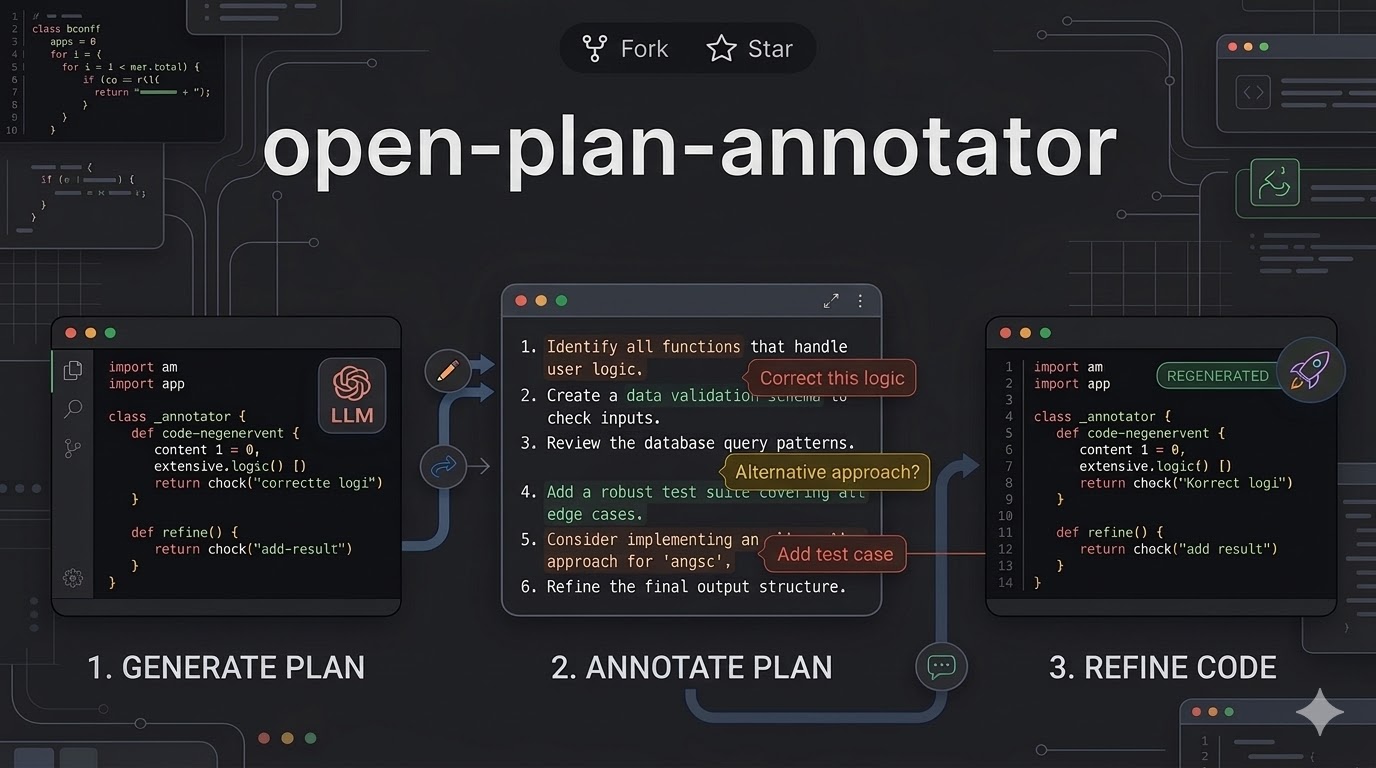



A fully local agentic coding plugin that intercepts plan mode and opens an annotation UI in your browser. Mark up the plan, send structured feedback to the agent, and receive a revised version — iterate as many times as you need until you're ready to approve.
Select text to strikethrough, replace, insert, or comment — then approve the plan or request changes
How It Works
- Your coding agent (Claude Code or OpenCode) finishes writing a plan
- The plugin launches an ephemeral HTTP server and opens a React UI in your browser
- You review the plan and annotate it — strikethrough, replace, insert, or comment on any section
- Approve to let the agent proceed, or Request Changes to send your annotations back as structured feedback
- The agent revises the plan and the cycle repeats until you're satisfied
Everything runs locally. Nothing leaves your machine.

Install
[!NOTE]
open-plan-annotatornow ships as one package-managed install. The npm package contains the plugin glue and resolves a platform runtime package locally. There is no first-run binary download and no in-app self-update path.
Pi
Install the dedicated Pi package:
pi install npm:@open-plan-annotator/pi-extension
The extension package registers:
- a
annotate_plantool, exposed to the model with prompt guidance to call it after drafting a concrete markdown plan and before implementation - an
/annotate-plancommand for manual review of the latest assistant message or supplied plan text
Typical flow:
- Ask Pi to make a plan before coding.
- Pi drafts the plan and calls
annotate_plan. - The browser review UI opens locally.
- Approval returns “Plan approved. Continue with implementation.”; requested changes return the serialized annotations as feedback.
You can also trigger review manually:
/annotate-plan
/annotate-plan # Plan\n\n1. Do the thing
Manual Install
If you want to run the CLI standalone or install the package globally:
pnpm add -g open-plan-annotator
npm install -g open-plan-annotator
Updates
- OpenCode: update the installed npm plugin through OpenCode, then restart OpenCode.
- Claude Code: update the marketplace/plugin install, then restart Claude Code.
- Standalone/global install: update the npm package (
npm,pnpm, orbun), then rerunopen-plan-annotator.
The built-in doctor command reports the resolved runtime package and runtime path:
open-plan-annotator doctor
Keyboard Shortcuts
| Action | Shortcut | Description |
|---|---|---|
| Delete | d | Strikethrough selected text |
| Replace | r | Replace selected text with new content |
| Insert | s | Insert text after the selection |
| Comment | c | Attach a comment to selected text |
| Approve | Cmd+Enter | Approve the plan and proceed |
| Request Changes | Cmd+Shift+Enter | Send annotations back to the agent |
Development
bun run dev
Starts the Bun server on port 3847 with a test plan and the Vite dev server on port 5173 with HMR.
bun run lint        # check
bun run lint:fix    # auto-fix
bun run format      # format
Maintainer Docs
- Architecture:
docs/architecture.md - Operations:
docs/operations.md - Release process:
docs/release.md
License
MIT