
Install
Install with PiG
pig install npm:@mblarsen/pi-fuxInstall with Pi
pi install npm:@mblarsen/pi-fuxPackages run code with your permissions and influence agent behavior. Catalog inclusion is not a security audit. Review the source before installing a third-party package.
Pi manifest JSON
The pi field of package.json.
{
  "skills": [
    "./skill/SKILL.md"
  ],
  "extensions": [
    "./index.ts"
  ]
}
README
Written by the package's publisher, shown as published in version 0.1.2 (README.md). PiG does not review it.
fux
Adds a leaf node to the session tree, forks Pi into a parallel pane, then grafts the fork back at the marked leaf — like a git branch and merge, but for your conversation history.
Provides the /fux slash command and the fux_fork LLM tool. Merge and delete remain slash-command-only for safety.
Demo
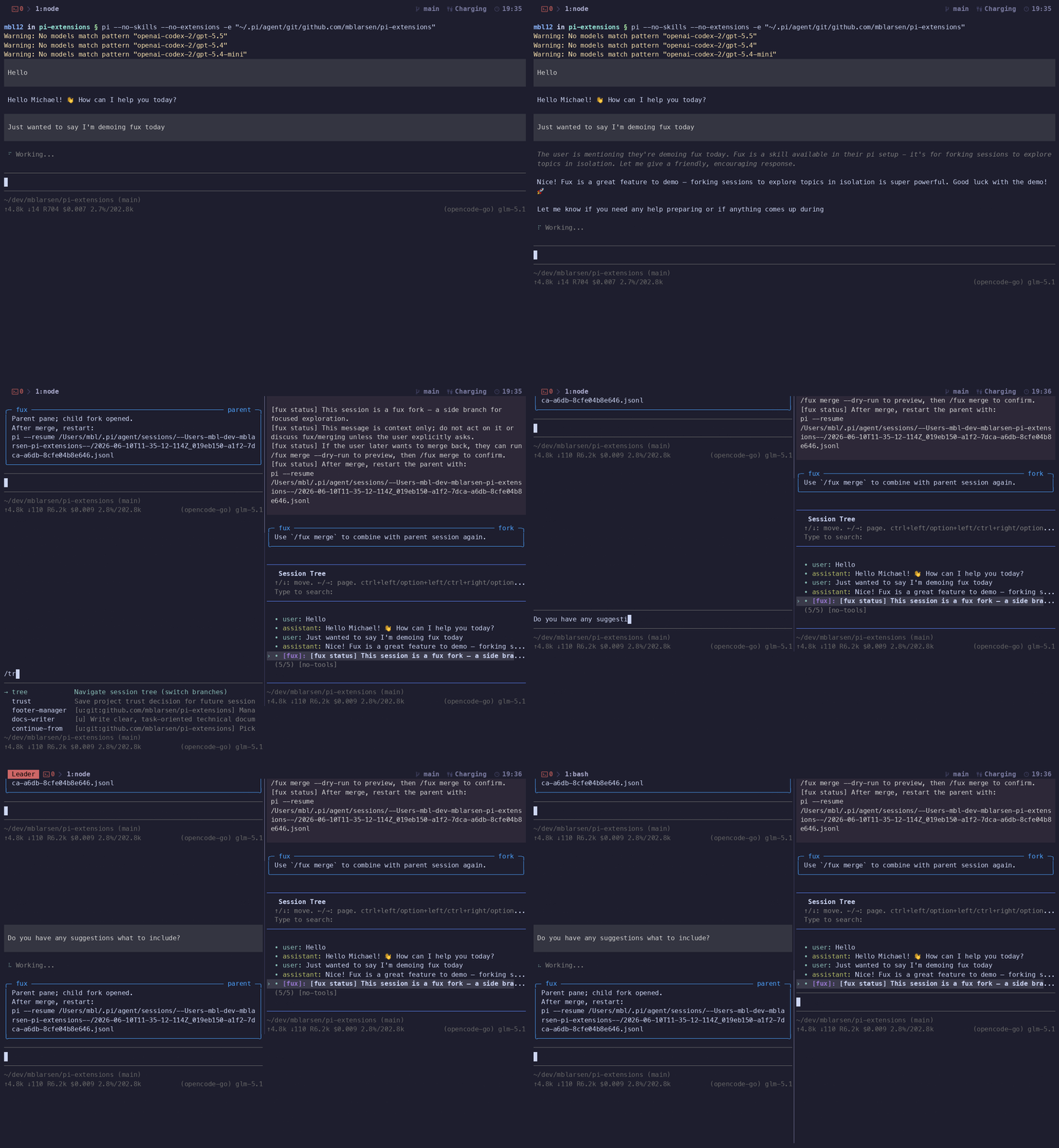
Install
pi install npm:@mblarsen/pi-fux
Usage
| Command | Description |
|---|---|
/fux | Fork current session into a new tmux pane |
/fux prompt <text> | Fork with an initial prompt sent to the child |
/fux merge [--dry-run] [--yes] [--keep|--delete] | Merge child fork back into parent |
/fux delete [--yes] | Delete the child fork and close the pane |
/fux toggle | Show or hide the fux guidance widget |
LLM tool: fux_fork — available to the agent to fork sessions programmatically.
Workflow
- Run
/fux(or/fux prompt <text>) from the parent session. - A new tmux pane opens with a branched Pi session.
- Work in the fork. Both sessions show a guidance widget with the restart command.
- When done, run
/fux merge --dry-runin the fork to preview, then/fux mergeto confirm. - Restart the parent session with the printed command (e.g.
pi --resume <path>).
The parent session file is modified externally during merge — you must restart pi to see the merged history.