
Install
Install with PiG
pig install npm:@mblarsen/pi-footer-managerInstall with Pi
pi install npm:@mblarsen/pi-footer-managerReview before installing
Packages run code with your permissions and influence agent behavior. Catalog inclusion is not a security audit. Review the source before installing a third-party package.
Pi manifest JSON
The pi field of package.json.
{
  "extensions": [
    "./index.ts"
  ]
}
README
Written by the package's publisher, shown as published in version 0.1.6 (README.md). PiG does not review it.
footer-manager
Manage the Pi status footer — toggle and reorder built-in items and extension statuses, and enter a minimal "zen" mode.
Demo
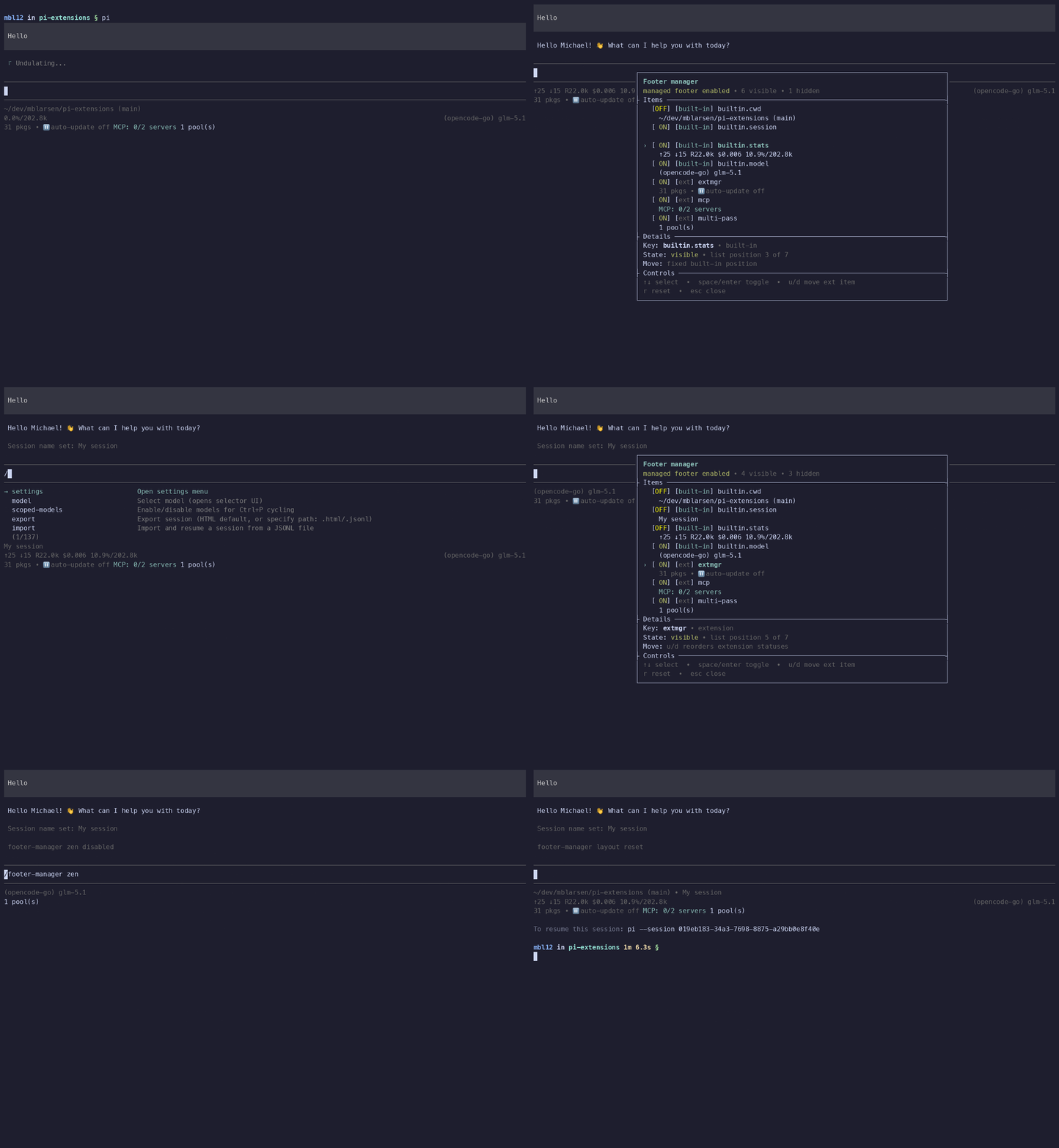
Install
pi install npm:@mblarsen/pi-footer-manager
Usage
| Command | Description |
|---|---|
/footer-manager | Open the interactive footer manager |
/footer-manager on | Enable the managed footer |
/footer-manager off | Disable the managed footer (revert to default) |
/footer-manager reset | Reset layout to defaults |
/footer-manager layout | Edit the footer layout as text |
/footer-manager edit | Alias for /footer-manager layout |
/footer-manager zen | Toggle zen mode (hide all items) |
/footer-manager zen on | Enable zen mode |
/footer-manager zen off | Disable zen mode |
/footer-manager ext <key> | Toggle visibility of a specific footer item |
/footer-manager status-line on | Show extension status items |
/footer-manager status-line off | Hide extension status items |
Interactive controls (inside the manager overlay):
- ↑↓/j/k select item · Space/Enter toggle visibility · u/d move through reading order · e edit layout · r reset · Esc close
- Off items are listed at the bottom and shown with an unknown layout position.
- Discovered status keys remain in
footerManager.unplacedin Pi settings until placed or hidden. They remain selectable after reload, even without current status text. - Reset restores the default layout but retains discovered keys. Keys must be observed at least once to be remembered.
Layout editor
Press e in the manager, or run /footer-manager layout, to edit only the layout shape:
x x
x
  x
x xmeans one left slot and one right slot on that line.xmeans a left slot.xmeans a right slot.- The selected item order is edited with u/d in the manager, not in the layout editor.
- A slot can contain multiple items; moving into an occupied slot inserts without pushing existing items out.
- Empty slots stay empty until an item is moved or toggled into them.
- Removing slots turns overflow items off; turning one back on places it at the end of the layout.
What you can control
- builtin.cwd — working directory (with git branch)
- builtin.session — session name
- builtin.stats — token counts, cost, context usage
- builtin.model — provider and active model name, for example
(9router) cx/gpt-6-astra - Extension status items — any status text registered by other extensions
Similar work
- pi-footer-manager — a separate project with the same name