
Install
Install with PiG
pig install npm:@maxiaochao/pi-schedulerInstall with Pi
pi install npm:@maxiaochao/pi-schedulerPackages run code with your permissions and influence agent behavior. Catalog inclusion is not a security audit. Review the source before installing a third-party package.
Pi manifest JSON
The pi field of package.json.
{
  "extensions": [
    "./extensions/scheduler.ts"
  ]
}
README
Written by the package's publisher, shown as published in version 0.2.0 (README.md). PiG does not review it.
Pi Scheduler
Session-scoped interval prompts for Pi. Scheduler does one thing: at a fixed interval, queue a prompt for the current main agent at a safe turn boundary.
Why
Use Scheduler when the agent should periodically re-check CI, logs, a review, or another changing condition. It is not Cron, a background process manager, or a durable workflow engine.
Install
pi install npm:@maxiaochao/pi-scheduler
Update it with pi update npm:@maxiaochao/pi-scheduler.
Agent tool
schedule({ action: "add", every: "5m", prompt: "Check CI; report completion or failure." })
schedule({ action: "list" })
schedule({ action: "cancel" })
schedule({ action: "cancel", id: "schedule-1" })
schedule({ action: "clear" })
User command
/schedule Check CI; report completion or failure.
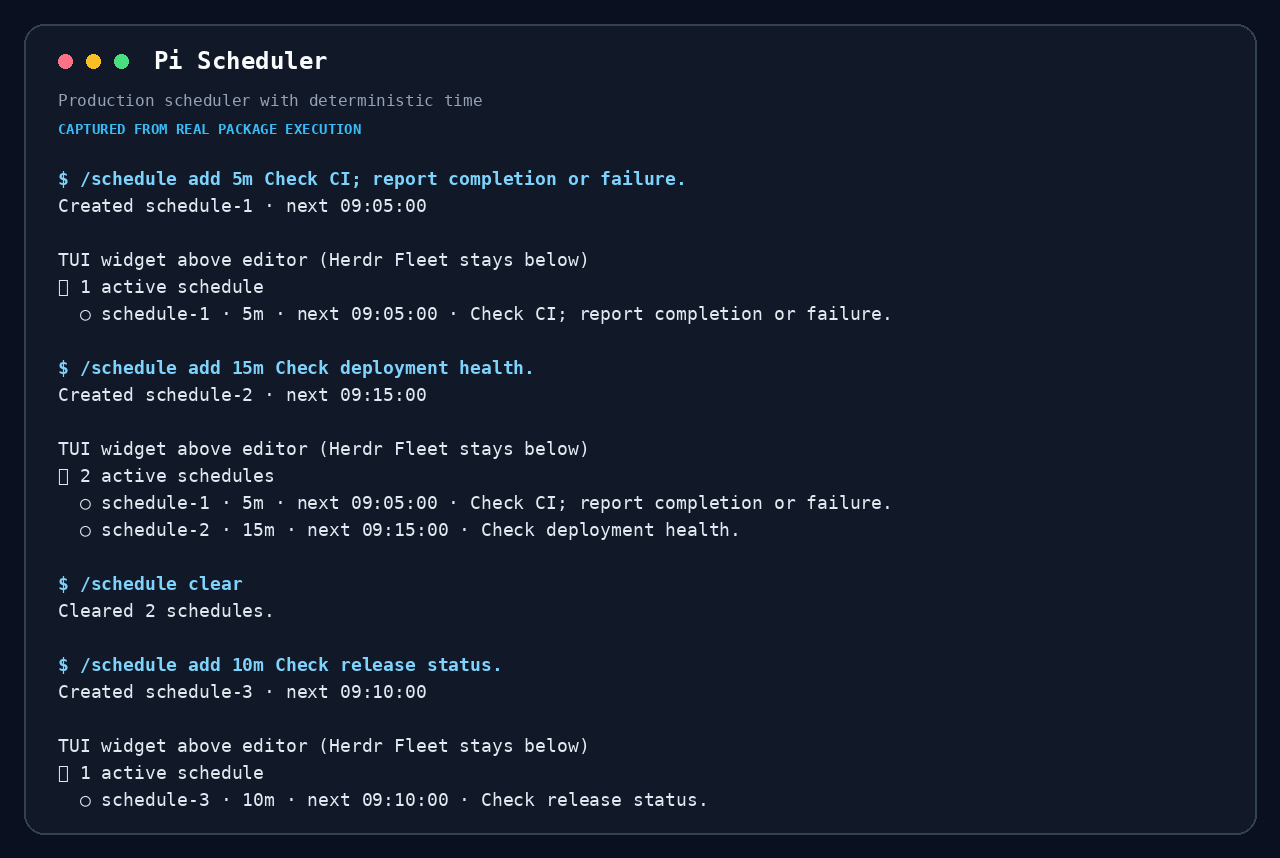
/schedule add 5m Check CI; report completion or failure.
/schedule list
/schedule cancel
/schedule cancel schedule-1
/schedule clear
/schedule <prompt> creates a schedule with a 20-second interval. Use /schedule add <interval> <prompt> for a different interval. The words add, list, cancel, and clear are reserved for commands. The retired trigger command is rejected so old command text cannot become a repeating prompt. To schedule a prompt that starts with a reserved word, use the explicit form, for example /schedule add 20s list all checks. An empty /schedule lists active schedules. The Agent tool still requires an explicit every value.
cancel may omit the ID when exactly one schedule is active. With multiple schedules, provide the ID shown by list. Tab completion suggests the four subcommands and active IDs after cancel . A multi-line widget above the editor shows one row per active schedule with its ID, interval, next trigger, pending state, and prompt. Herdr Fleet remains below the editor, so the two live displays do not compete for the same area or overwrite each other.
Semantics and limits
- Intervals accept
s,m,h, andd, from 1 second through 7 days. - Prompts use Pi
followUp: an active agent turn finishes before the scheduled prompt runs. - At most one prompt per schedule remains pending; missed intervals coalesce instead of flooding the queue.
- Schedules live only in the current session and are cleared on new/resume/fork/reload/quit.
- Cancel stops one schedule; clear stops all active schedules. Pi cannot selectively withdraw a prompt already in its follow-up queue.
- Timing is best-effort, not real-time. Recursive
setTimeoutuses absolute target times to avoid cumulative drift. - Calendar expressions, time zones, persistence, process monitoring, and script notifications are intentionally out of scope.
Remove
pi remove npm:@maxiaochao/pi-scheduler
Do not install both the standalone package and a toolkit release that already bundles Scheduler, or the tool and command will be registered twice.