
Install
Install with PiG
pig install npm:@lazco/pi-image-budgetInstall with Pi
pi install npm:@lazco/pi-image-budgetPackages run code with your permissions and influence agent behavior. Catalog inclusion is not a security audit. Review the source before installing a third-party package.
Video
Declared by the package manifest. Open the file ↗
Pi manifest JSON
The pi field of package.json.
{
  "image": "https://lazco-public-15298932ec.pub.t4.txg1.lazco.cloud/pi-image-budget/notice.png",
  "video": "https://lazco-public-15298932ec.pub.t4.txg1.lazco.cloud/pi-image-budget/Demo.mp4",
  "extensions": [
    "./src/index.ts"
  ]
}
README
Written by the package's publisher, shown as published in version 0.1.1 (README.md). PiG does not review it.
pi-image-budget
Pi extension: keep old images from filling the provider request size limit.


Demo video · Installation · Usage · Settings · Ranking · Summaries · Limitations
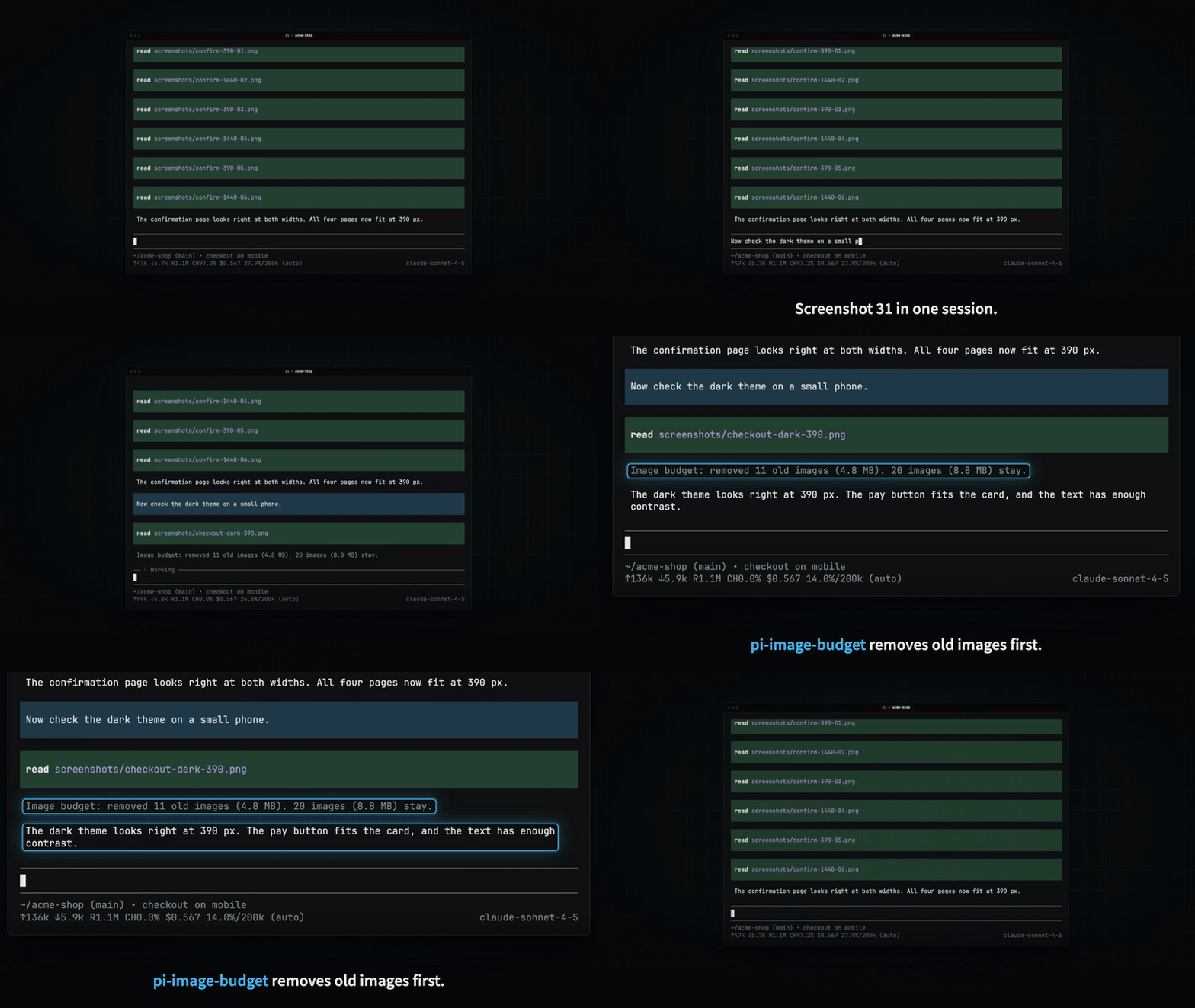
pi sends every image of a session again with every request. After many screenshots, the request gets too large, and the provider refuses it before the context window is full. This extension replaces old images with a short text note, so that the session can go on.
Highlights
- Works before the error. Right before each request, the extension counts the images and their bytes. Above 30 images or 16 MiB, it removes old images.
- Removes in batches. With the defaults, one removal takes 31 images down to 20. Each removal breaks the prompt cache one time, not on every turn. See Why two numbers.
- Tells the agent how to get an image back. The note says where the image came from, for example the file path, and what to do to see it again.
- Keeps the images that matter. The newest image always stays. An optional ranking model picks old images that the current task still needs.
- Describes an image before it goes. An optional summary model writes a short description into the note.
- Recovers from the error. If the provider still refuses a request as too large, the extension removes old images and sends the request again. See Recovery.
Demo video
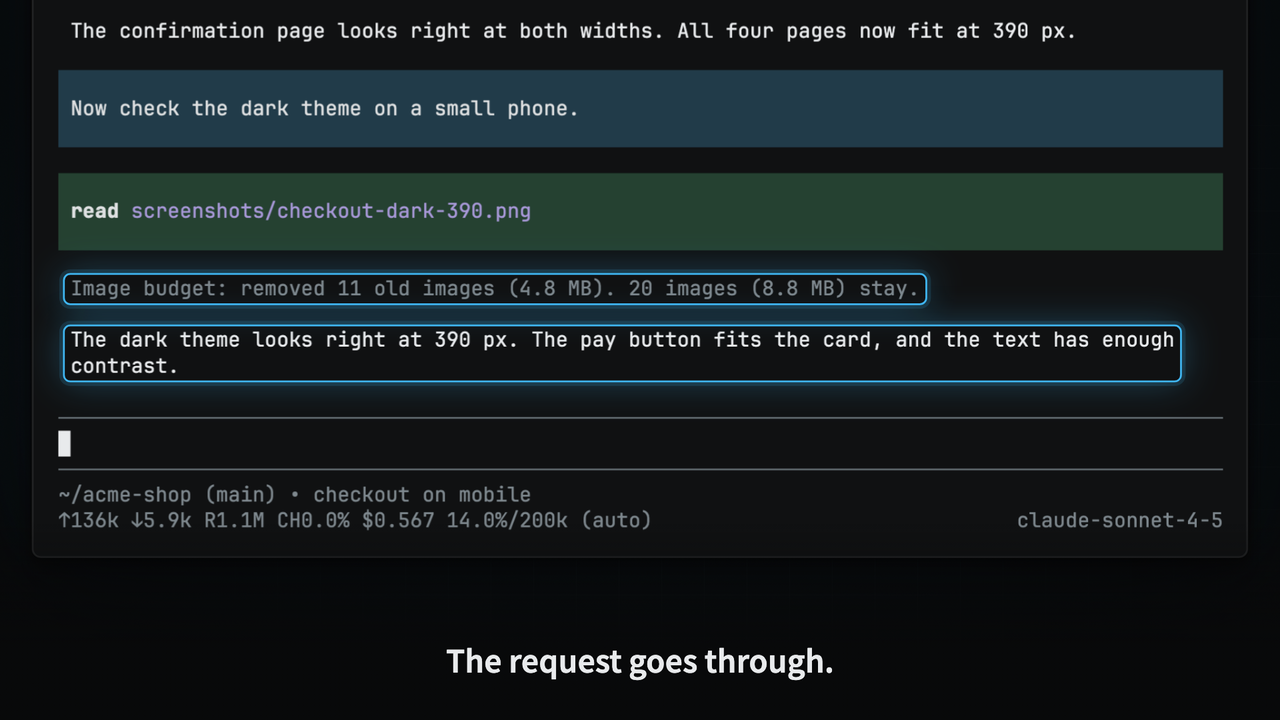
The 60-second video shows the error without the extension, the install, the notice, the note in place of an image, /image-budget, and the settings.
Click the image to play the video.
Installation
You need pi and Node.js 22.19.0 or later.
pi install npm:@lazco/pi-image-budget
Then run /reload in pi.
To check the install, run pi list.
The list of user packages shows npm:@lazco/pi-image-budget.
To try the extension for one run, without an install, use pi -e npm:@lazco/pi-image-budget.
Usage
The extension has no setup. After the install, it works in every session.
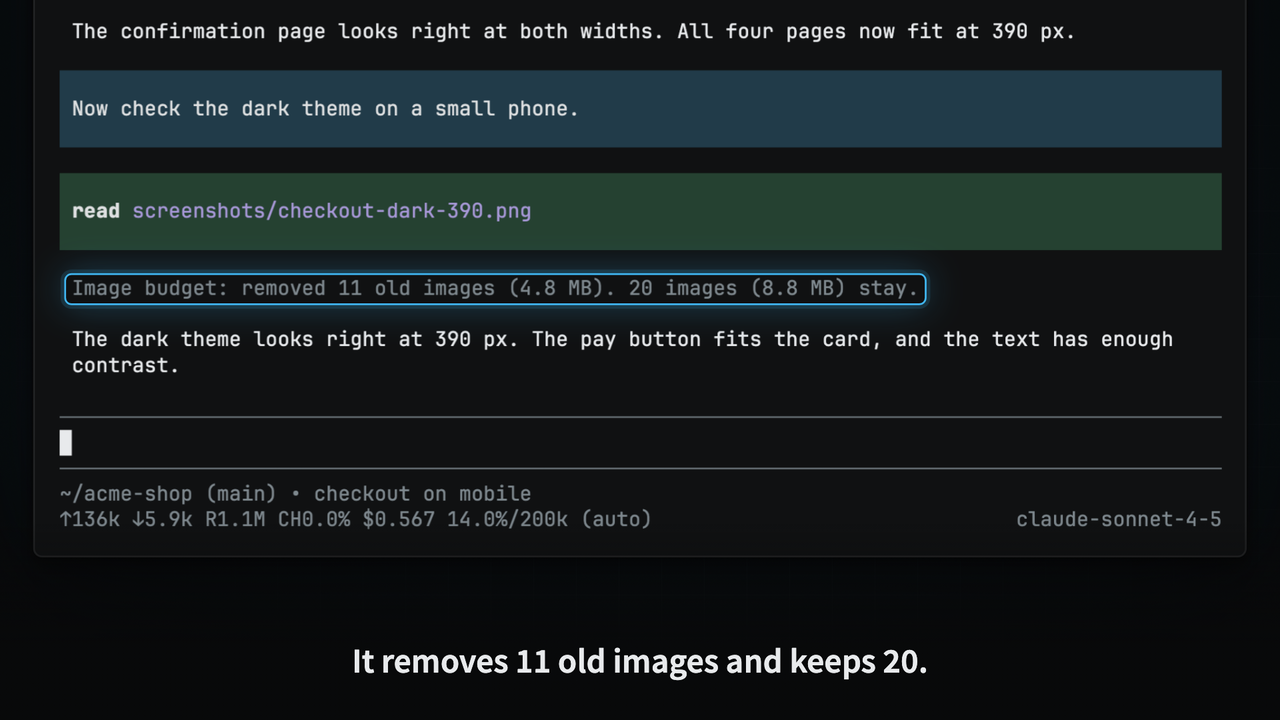
When a request has more than 30 images, a notice shows how many images the extension removed:
Image budget: removed 11 old images (4.2 MB). 20 images (7.6 MB) stay.
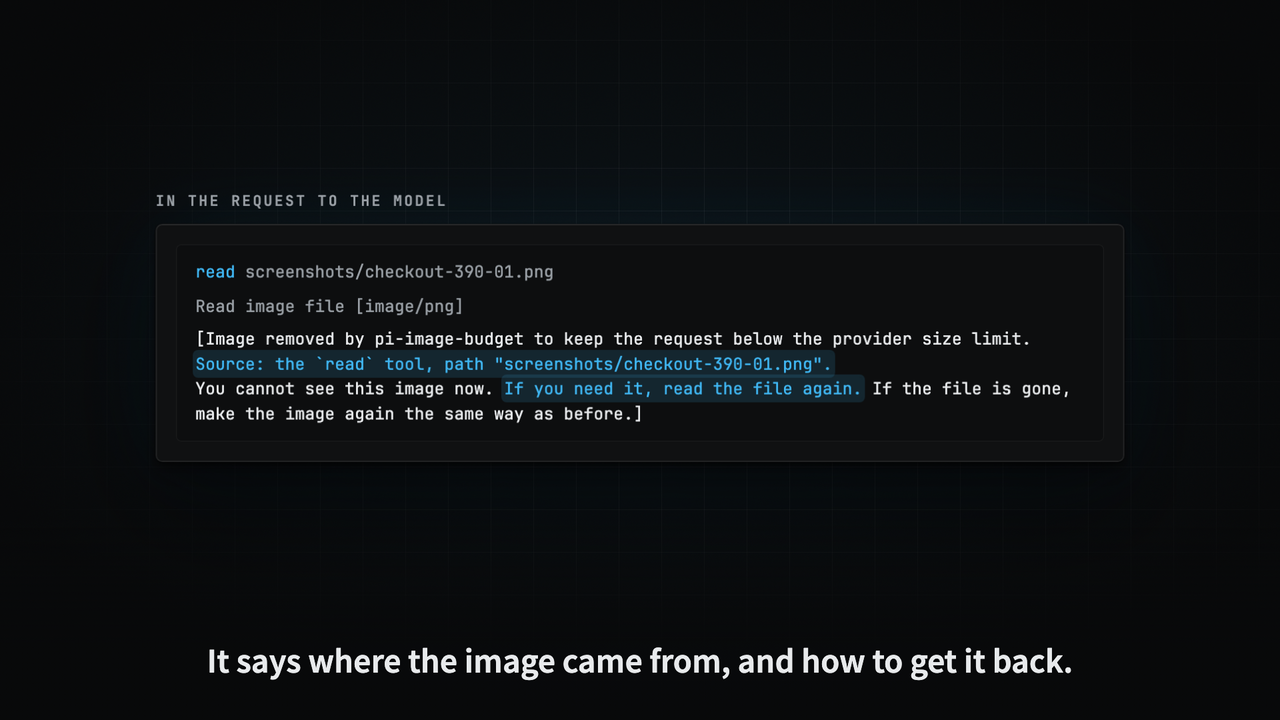
In each removed place, the agent sees a note like this one:
[Image removed by pi-image-budget to keep the request below the provider size limit. Source: the
readtool, path "/tmp/uiux/t_small.png". You cannot see this image now. If you need it, read the file again. If the file is gone, make the image again the same way as before.]
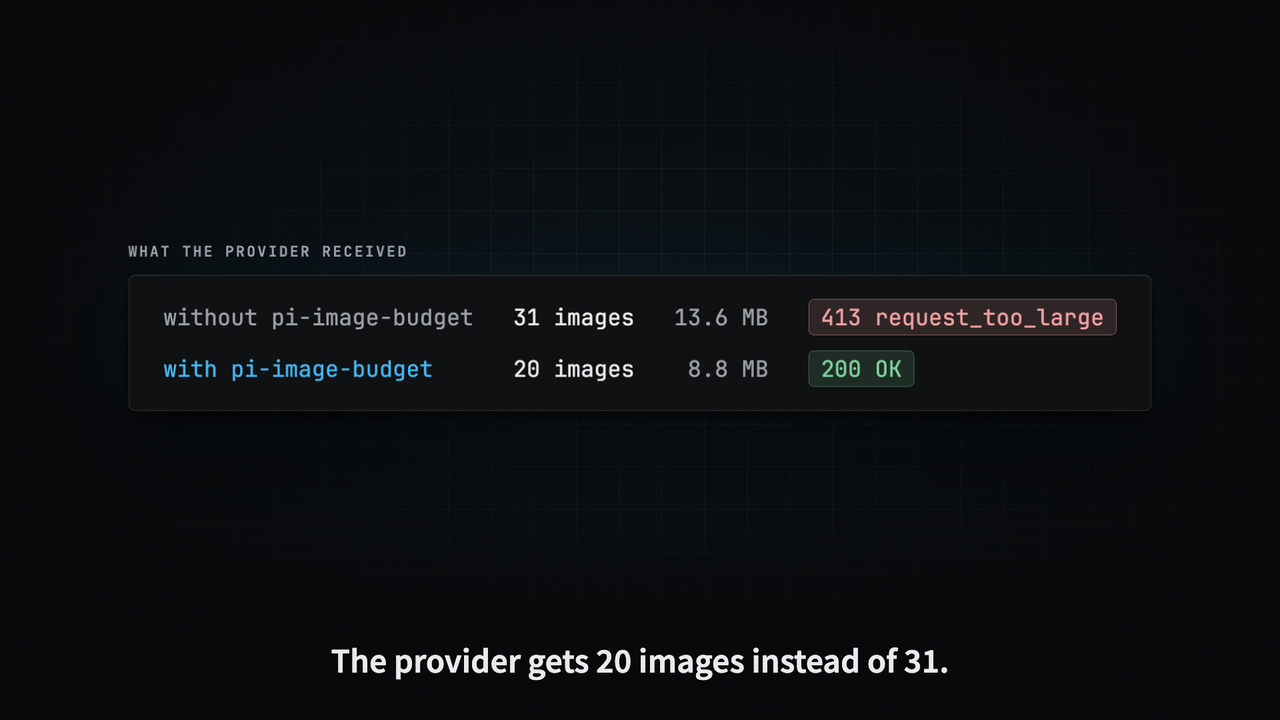
In the demo session, the provider gets 20 images instead of 31, and the request goes through:
The extension changes only the context that pi sends to the model.
The session file keeps every image, and the pi UI still shows them.
To go back to a point before a removal, use /tree.
Commands
| Command | What it does |
|---|---|
/image-budget | Shows the image count, the bytes, and the limits of this session. |
/image-budget reload | Reads the settings file again. |
/image-budget path | Shows the path of the settings file. |
/image-budget shows text like this:
Image budget
Images in the request: 12 (4.6 MB)
Removal starts above: 30 images or 16.0 MB
Removal stops at: 20 images and 10.7 MB
Ranking: off
Replacement: placeholder
Recovery after "request too large": on
Settings
The first run writes the settings file ~/.pi/agent/image-budget.json with the default values.
After you edit the file, run /image-budget reload.
If the file has bad JSON or a bad value, the extension uses the defaults, shows a warning, and does not change the file.
Removal
| Setting | Default | Value |
|---|---|---|
enabled | true | false turns off the extension. |
maxImages | 30 | A removal starts above this many images. |
keepImages | 20 | A removal stops at this many images. |
maxImageBytes | null | A removal also starts above this many base64 bytes of images. See Model limits. |
replacement | "placeholder" | "placeholder" or "summary". See Summaries. |
overflowRecovery | true | false turns off the recovery. |
Why two numbers
Each removal changes old messages, and the prompt cache breaks from the first changed message. If the extension removed one image on each turn, each turn would write the full cache again. With the defaults, a removal starts at 31 images and takes the count down to 20. The next removal comes only after 11 more images.
Model limits
If maxImageBytes is null, the byte limit comes from the model in models.json:
- If the model sets
inputLimits.maxRequestBytes, the limit is half of that value. - Else, the limit is 16 MiB. This is half of the 32 MB limit of Anthropic.
If the model sets inputLimits.images.maxPerRequest, maxImages cannot go above that value.
Ranking
By default, the newest images stay. With ranking, a model scores which old images the current task still needs. The best scored images stay, and the newest images fill the remaining places.
{
  "ranking": { "mode": "chat", "model": "anthropic/claude-haiku-4-5" }
}
The ranking model never gets an image. It reads only text: the image source, the text next to the image, the agent reply after the image, and the current task. Ranking runs only during a removal.
| Setting | Default | Value |
|---|---|---|
ranking.mode | "off" | "off", "chat", or "classifier". |
ranking.model | null | "<provider>/<model-id>" of the ranking model. |
ranking.keepTop | 10 | The max number of places that ranking can fill. |
ranking.thinking | "low" | off, minimal, low, medium, high, xhigh, or max. |
ranking.timeoutMs | 30000 | The time limit for ranking. |
chatsends one text request for all images to a chat model.classifiersends one request for each image to a pi classifier model, for exampletypesafe/jev-latest. See the pi models docs.
Only an image with a score of 0.5 or more out of 1 can get a ranked place. If the ranking model is missing or fails, the extension shows a warning one time and keeps the newest images.
Summaries
With "replacement": "summary", a vision model describes each image before the extension removes it.
The description goes into the note.
{
  "replacement": "summary",
  "summary": { "model": "google/gemini-2.5-flash" }
}
| Setting | Default | Value |
|---|---|---|
summary.model | null | "<provider>/<model-id>" of a model that accepts images. |
summary.maxWords | 80 | The max length of each summary. |
summary.thinking | "low" | off, minimal, low, medium, high, xhigh, or max. |
summary.timeoutMs | 60000 | The time limit for each summary. |
Each removed image costs one vision request.
The extension sends 4 requests at a time.
In an old session with many images, the first removal can take a few minutes.
While it works, the text next to the pi spinner shows the progress, for example Image budget: summarizing images 12/89….
If a summary fails, that image gets a plain note.
Recovery after "request too large"
Sometimes the provider refuses a request as too large, for example with an HTTP 413 error. Then the extension removes all old images except the newest one and sends the request again. This recovery uses plain notes, without summaries, so that you do not wait. It runs one time for each failed request.
Limitations
- Text is not counted. The byte limit counts only images. A request with very large text can still fail.
- The agent loses detail. A removed image is gone from the context of the model. The agent must read the file again, or call the tool again, to see it. A tool result without a file path can differ the second time.
- Each removal costs one cache write. After a removal, the provider writes the prompt cache again from the first changed message.
- The session file does not get smaller. The extension saves the notes as context edits. The images stay in the session file.
- Only size errors start a recovery. If a request is over the context window in tokens, pi compaction handles it, not this extension.
- Tested with pi 1.0.4. Older pi versions can lack the extension events that this extension uses.
Contributing
To report a bug or ask a question, open an issue on GitHub. Pull requests are welcome. The build, test, and release steps are in CONTRIBUTING.md.