
Install
Install with PiG
pig install npm:@lanlance/pi-recapInstall with Pi
pi install npm:@lanlance/pi-recapPackages run code with your permissions and influence agent behavior. Catalog inclusion is not a security audit. Review the source before installing a third-party package.
Pi manifest JSON
The pi field of package.json.
{
  "image": "https://raw.githubusercontent.com/L2ncE/pi-recap/main/img/img.png",
  "extensions": [
    "./extensions/recap.ts"
  ]
}
README
Written by the package's publisher, shown as published in version 0.3.0 (README.md). PiG does not review it.




What Is This
pi-recap shows a single status line above the status bar that answers "where was I?" — the session goal and the current state. It updates automatically as you work, and stays put when nothing actually changed.
Inspired by Claude Code's /recap, rebuilt natively for pi. The recap is a
pure UI widget: it never enters the model context.
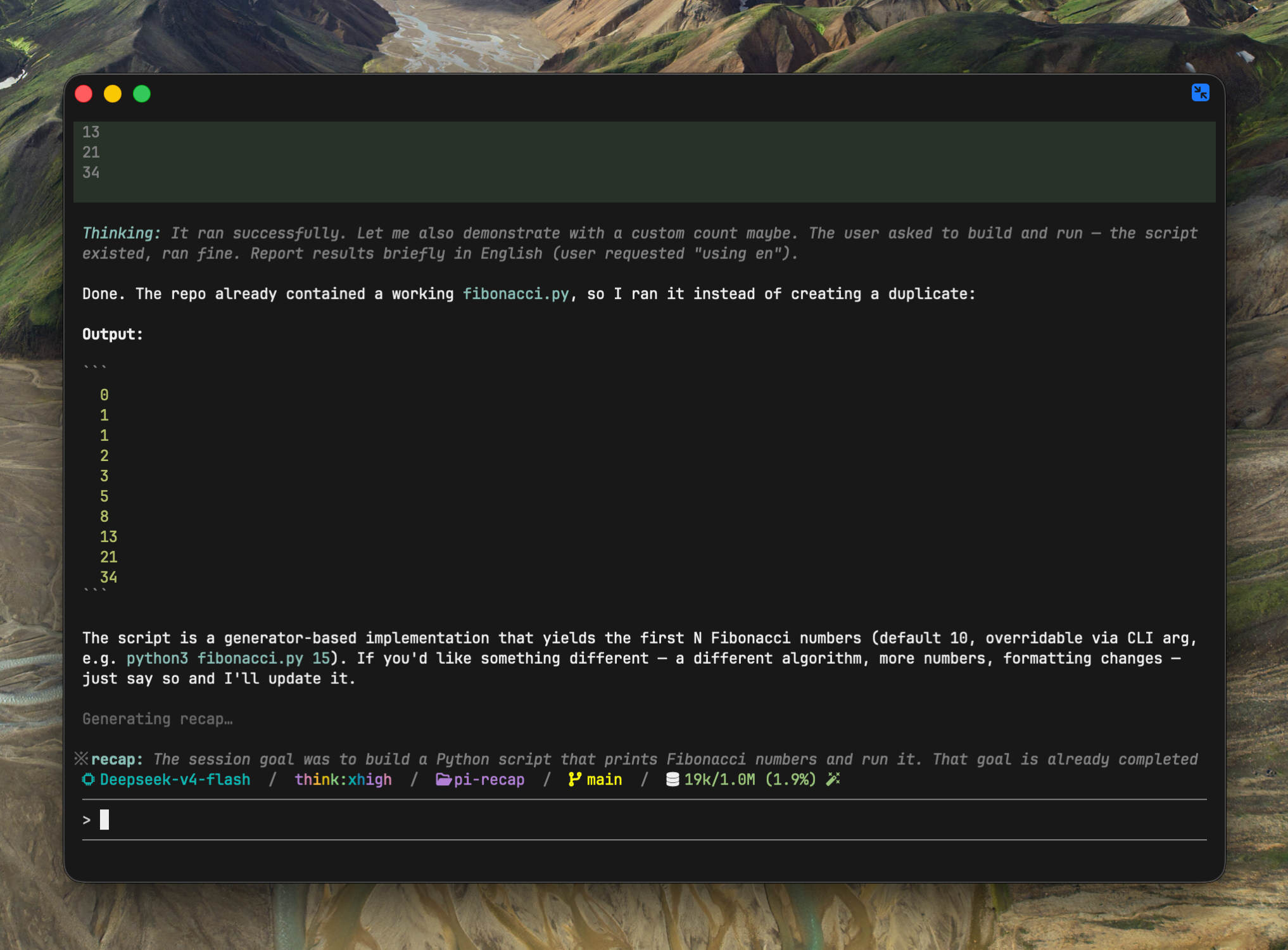
Install
pi install npm:@lanlance/pi-recap
or via git:
pi install git:https://github.com/L2ncE/pi-recap
or drop extensions/recap.ts into ~/.pi/agent/extensions/ and run
/reload.
Usage
Nothing to do — after 3 turns the recap appears on its own.
※ recap: Memoized Fibonacci script with CLI args; README updated
/recap— regenerate the recap right now- the recap follows the language of your session
- it survives
/resume— the last recap comes back with the session
Configuration
All optional. Add a recap block to ~/.pi/agent/settings.json
(or .pi/settings.json for per-project overrides):
{
  "recap": {
    "model": "deepseek-v4-flash",
    "maxWords": 25,
    "placement": "above",
    "prompts": {
      "recap": "Output only one phrase, at most 40 words."
    }
  }
}
| key | default | description |
|---|---|---|
model | current session model | provider/model used for generation |
maxWords | 40 | word budget; prompt and truncation follow it |
minTurns | 3 | user messages required before auto-generation starts |
cooldownTurns | 3 | regenerate only every N agent_end turns; 1 = every turn |
similarityThreshold | 0.7 | fresh recap with ≥ this word overlap keeps the displayed one |
placement | "below" | "below" = between editor and status bar, "above" = above the editor |
prompts.recap | built-in | custom system prompt, replaces the built-in one |
If the configured model is missing or unauthenticated, pi-recap falls
back to your session model. A bare model id (e.g. deepseek-v4-flash)
is resolved against your current session model's provider.
Other status-bar extensions? pi gives extensions only two layout areas
(above/below the editor). If another extension claims the same area — e.g.
pi-powerline-footer — set placement: "above", and to render the recap
above that extension's status line, put pi-recap first in the packages
array of settings.json. Disable its last-prompt echo with
"showLastPrompt": false.
How It Works
agent_end ─► goal (first prompt) + last 3 rounds
              │
              ├─ ≥ minTurns turns?  (else skip)
              ├─ cooldown cooldownTurns (else skip)
              ├─ latest-round key changed? (else skip)
              ├─ generate (≤512 tokens, minimal reasoning)
              ├─ similar to shown? (≥ similarityThreshold overlap → keep shown)
              └─ render widget + persist
Small by design: the input is the session goal plus the last 3 rounds, truncated — about 1-2k tokens per call, fractions of a cent.
Credits
- Inspired by Claude Code's
/recapcommand - Special Thanks: LinuxDO
License
Apache License 2.0 — L2ncE