
Install
Install with PiG
pig install npm:@krfantasy/pi-monokai-proInstall with Pi
pi install npm:@krfantasy/pi-monokai-proPackages run code with your permissions and influence agent behavior. Catalog inclusion is not a security audit. Review the source before installing a third-party package.
Pi manifest JSON
The pi field of package.json.
{
  "image": "https://raw.githubusercontent.com/krfantasy/pi-monokai-pro/main/assets/preview.png",
  "themes": [
    "./themes"
  ]
}
README
Written by the package's publisher, shown as published in version 0.2.0 (README.md). PiG does not review it.
pi-monokai-pro
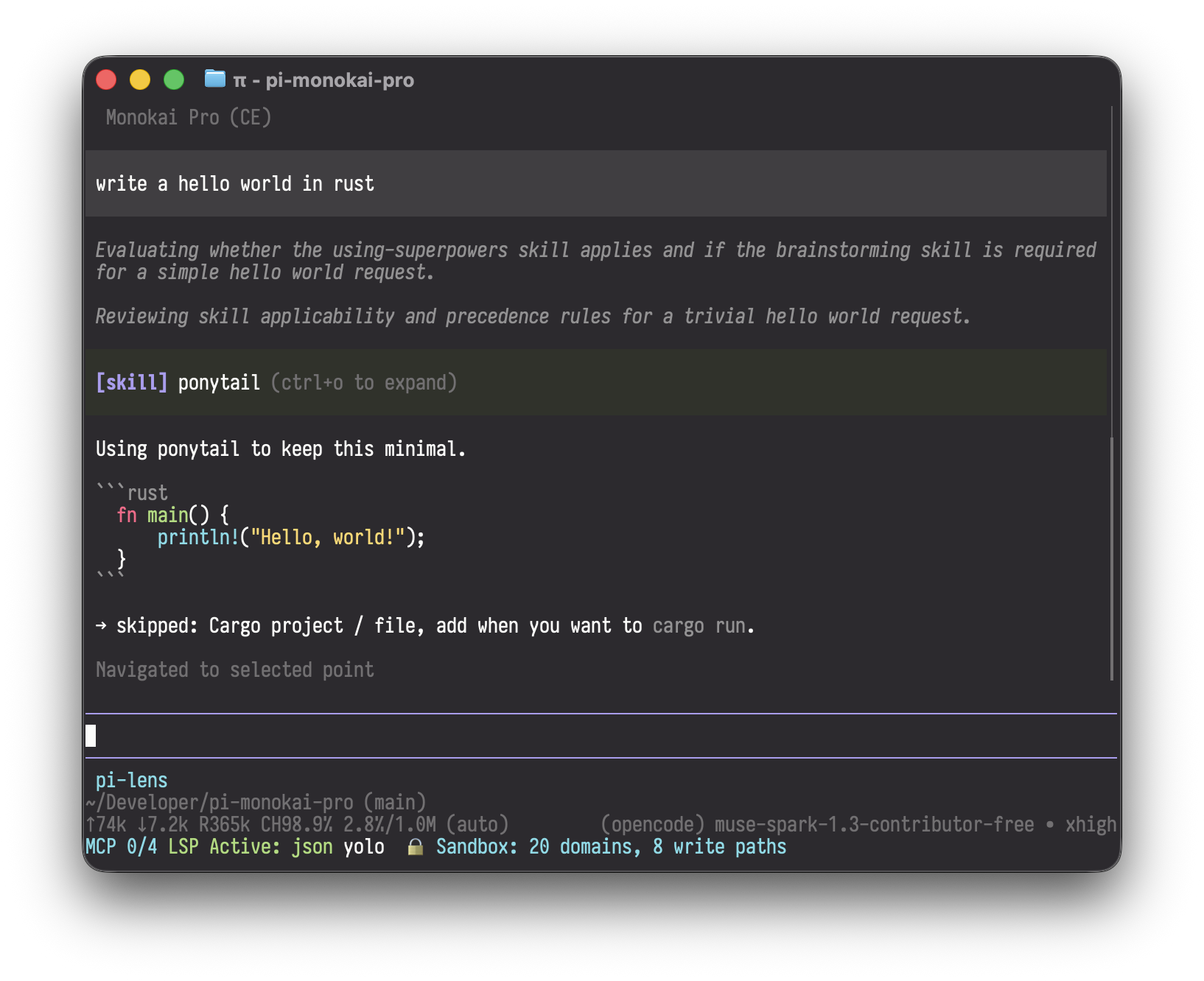
Monokai Pro (CE) theme for the pi coding agent.
Uses the official Monokai Pro palette (default filter): #FF6188 keyword, #FC9867 argument, #FFD866 string, #A9DC76 function, #78DCE8 class, #AB9DF2 constant, with the #2D2A2E / #221F22 / #19181A background ladder.
Install
# from this repo
pi install ./path/to/pi-monokai-pro

# or from git
pi install git:github.com/krfantasy/pi-monokai-pro

# or via npm
pi install npm:@krfantasy/pi-monokai-pro
For a project-local install, add -l.
Activate
Run /settings in pi and select Monokai Pro (CE), or set it directly in settings.json:
{
  "theme": "Monokai Pro (CE)"
}
Tip: for the full look, set your terminal background to #2D2A2E and enable truecolor (COLORTERM=truecolor).
Hot reload: edit themes/monokai-pro.json while the theme is active and pi applies changes immediately.
Layout
themes/monokai-pro.json   # the theme (56 colors, official palette)
package.json              # pi package manifest (pi.themes)
License
MIT. Monokai Pro is a copyrighted color scheme by Monokai; this package follows the Community Edition rules: default filter only, free and open source, named "Monokai Pro (CE)".