
Install
Install with PiG
pig install npm:@kkkiio/pi-web-uiInstall with Pi
pi install npm:@kkkiio/pi-web-uiPackages run code with your permissions and influence agent behavior. Catalog inclusion is not a security audit. Review the source before installing a third-party package.
Pi manifest JSON
The pi field of package.json.
{
  "image": "https://raw.githubusercontent.com/kkkiio/pi-web-ui/main/docs/images/pi-web-ui-example.png",
  "extensions": [
    "./extensions/mirror-server.ts"
  ]
}
README
Written by the package's publisher, shown as published in version 0.2.0 (README.md). PiG does not review it.
Pi Web UI
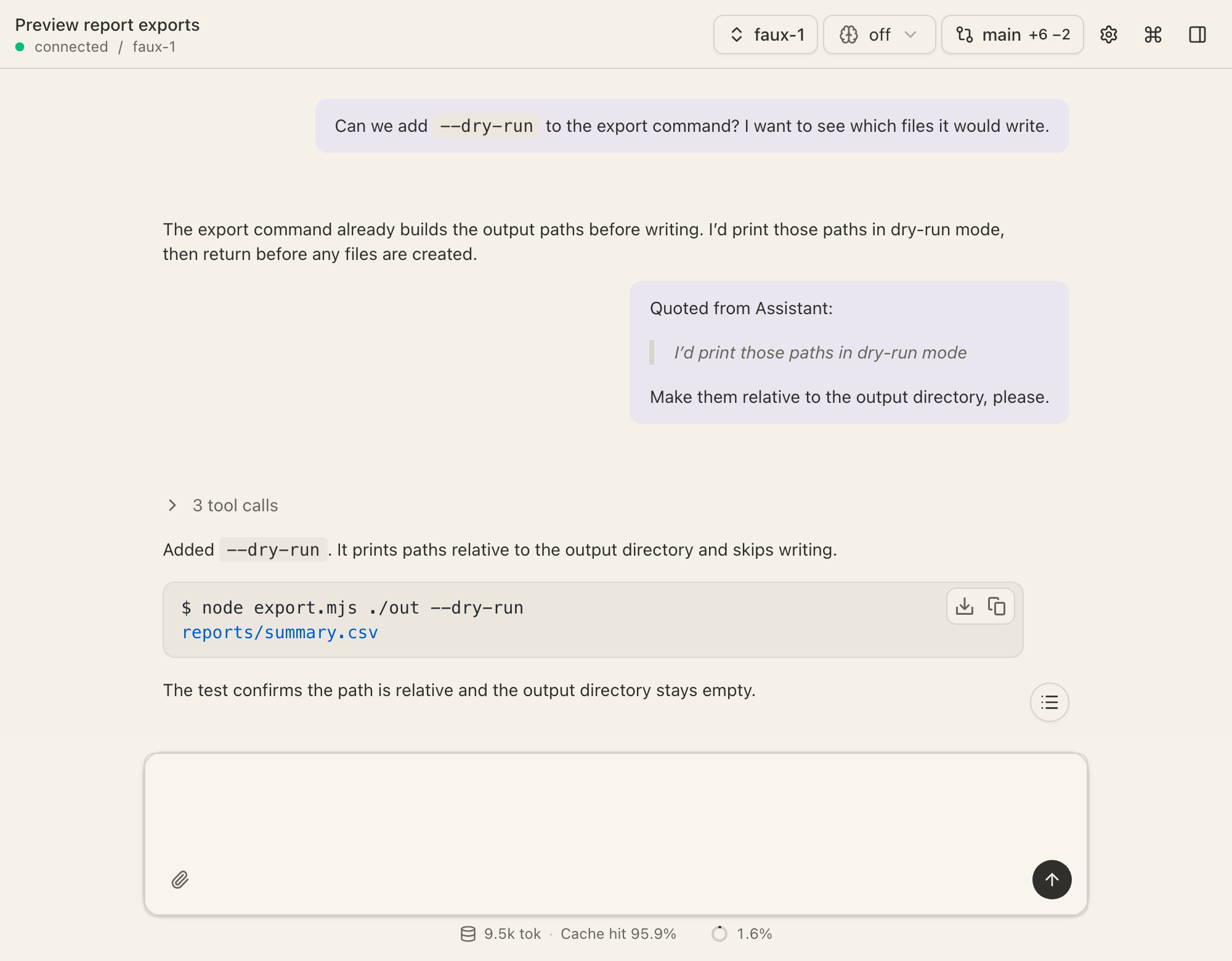
An interactive agent UI for the Pi coding agent.
Install
Install from GitHub:
pi install git:github.com/kkkiio/pi-web-ui
Or from npm:
pi install npm:@kkkiio/pi-web-ui
Usage
- Start Pi in terminal
- Enter
/webuito start the server and open the browser.
Use /webui-stop to stop the server.
See docs/configuration.md for environment variables, settings.json, and remote access setup.
Features
- Real-time bidirectional sync with Pi TUI
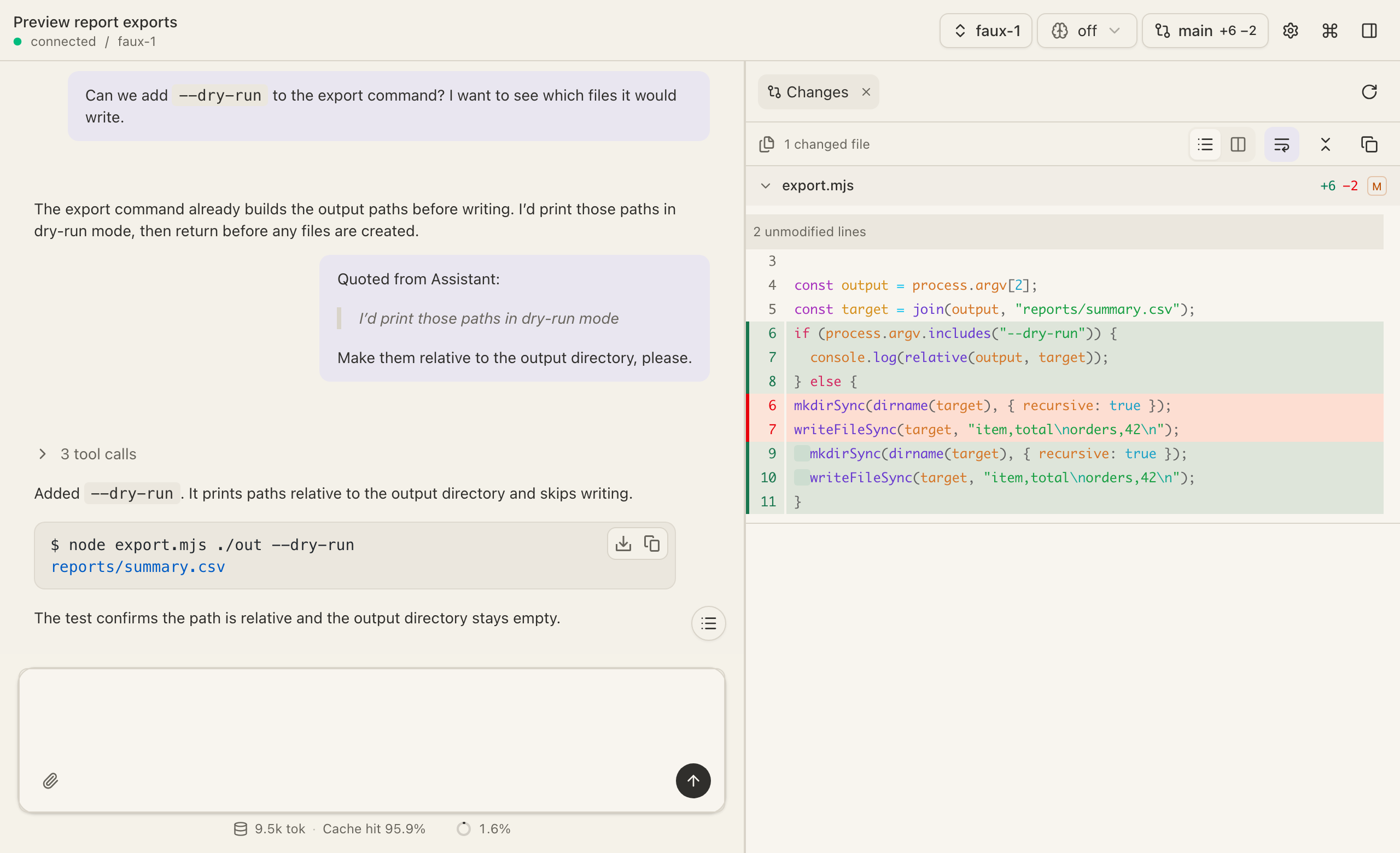
- Git Diff Panel
- Edit Message (inline rollback & resend; enabled by
/webui) - Add to Chat
- Git Diff Comment
- BTW / Ask in Side Chat
- AskUserQuestion
- Generative UI
Git Diff
Review what the agent changed on disk without leaving the conversation.
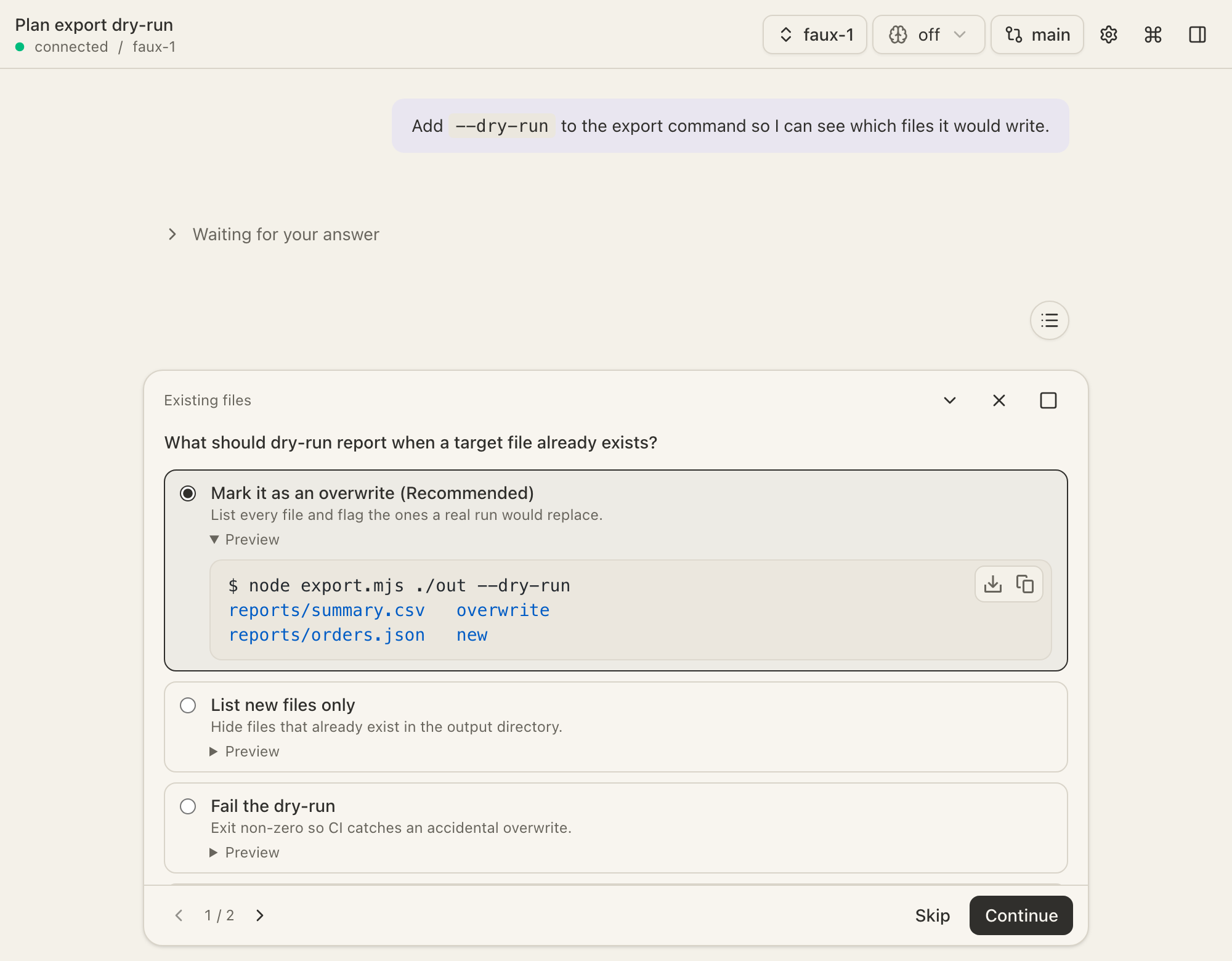
AskUserQuestion
The agent stops to clarify intent before writing code, with a preview of each option.
How it works
Pi Web UI is a Pi extension. Running /webui starts an HTTP + WebSocket server inside the Pi process. The extension forwards Pi events to the browser, and browser commands execute through Pi's extension API.
graph LR
    A[Pi TUI<br/>terminal] <-->|Pi events| B[Pi Process<br/>pi-web-ui extension]
    B <-->|HTTP + WS :3001| C[Browser]