
Install
Install with PiG
pig install npm:@juicesharp/rpiv-warpInstall with Pi
pi install npm:@juicesharp/rpiv-warpPackages run code with your permissions and influence agent behavior. Catalog inclusion is not a security audit. Review the source before installing a third-party package.
Pi manifest JSON
The pi field of package.json.
{
  "image": "https://raw.githubusercontent.com/juicesharp/rpiv-mono/main/packages/rpiv-warp/docs/cover.png",
  "extensions": [
    "./index.ts"
  ],
  "ambientObserver": true
}
README
Written by the package's publisher, shown as published in version 2.16.0 (README.md). PiG does not review it.
@juicesharp/rpiv-warp


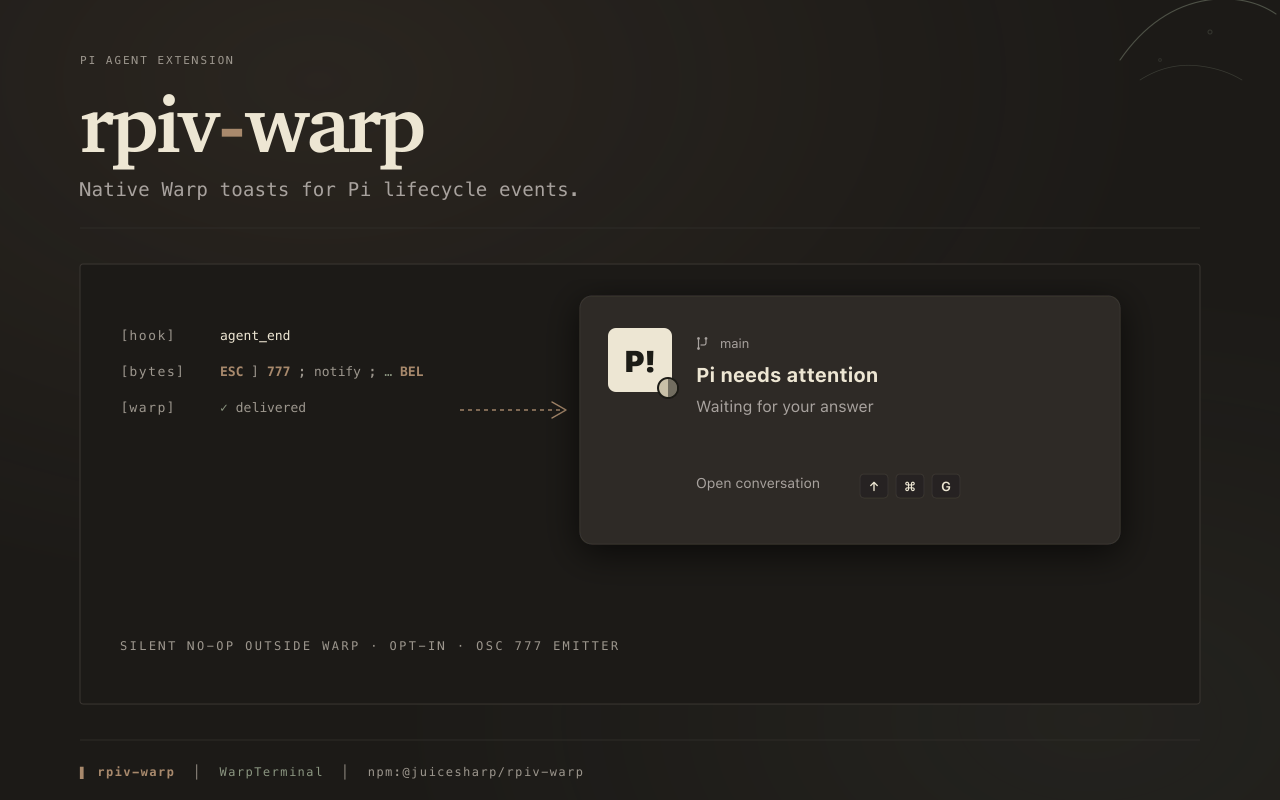
The Warp terminal tells you when
Pi Agent needs you — a native OS toast, a
tab badge, and an animated tab title while a turn is running. rpiv-warp listens
to Pi's lifecycle events and writes Warp's OSC 777 cli-agent sequence to the
terminal; Warp does the rest. Outside Warp it registers nothing and writes
nothing, so installing it costs you exactly zero everywhere else — it is opt-in,
and nothing else installs it for you.
Install
pi install npm:@juicesharp/rpiv-warp
Restart your Pi session.
Quick start
Start Pi inside Warp, send it a prompt that takes a while, then switch to another tab or another app. You get:
- the tab title animating a braille spinner for as long as the turn runs
- an OS notification when Pi finishes, naming the project and quoting the reply
- an OS notification the moment Pi blocks on your answer — a question, or a permission prompt for a command it wants to run
Nothing to configure, no key to supply.
What you get
- A toast the moment Pi needs you — six lifecycle moments (session start, prompt submitted, question asked, tool finished, turn stopped, gone idle) reach Warp as structured notifications carrying the project name, your query and the assistant's reply.
- A tab that shows Pi is still working — a braille spinner takes over Pi's
mascot in the tab title for the whole turn (
⠴ - <repo>, or⠴ - <session> - <repo>once the session is named, so named tabs stay distinguishable while they run), then the original label comes back. - A Blocked badge that never sticks — it lights for a blocking tool and for any extension UI prompt raised during a turn (a permission prompt, say), and an ESC-aborted prompt or tool call is drained at turn end instead of leaving the badge lit.
- No false idle mid-task — the running prompt is re-announced every 15 seconds while the turn is live, and paused while a blocking tool or prompt has the badge lit.
- Per-run badges for parked workflow questions — each
/wfrun gets its own badge keyed on the run id, so concurrent runs light up and clear independently. - Nothing to pay for where it can't help — outside Warp or on a known-broken
Warp build it registers zero handlers; when
/dev/ttyis unreachable every terminal write is silently swallowed, so a failed notification can never reach the agent loop. - No tokens, no clutter — no tools registered with the model, no slash commands, no widgets. Only lifecycle listeners and escape bytes the terminal eats before they reach stdout.
Configuration
Optional. Create ~/.config/rpiv-warp/config.json:
{ "blockingTools": ["ask_user_question", "my_custom_tool"], "heartbeatMs": 5000 }
| Key | What it does | Default |
|---|---|---|
blockingTools | Tool names whose calls raise the Blocked badge and clear it when they finish. [] turns the badge off entirely, prompts included, unless promptBlocking says otherwise. | ["ask_user_question"] |
promptBlocking | Whether an extension UI prompt raised during a turn (a questionnaire, a permission dialog, any ctx.ui select, confirm or input) raises the Blocked badge. | true, or false when blockingTools is [] |
heartbeatMs | How often the running prompt is re-announced so Warp doesn't mark the tab idle. Set to 0 to disable. | 15000 |
All keys are optional, and a missing or malformed file falls back to the
defaults. If XDG_CONFIG_HOME is set to an absolute path the file is read from
$XDG_CONFIG_HOME/rpiv-warp/config.json instead, falling back to the
~/.config location when that file does not exist. Config is read once when the
extension registers, so restart Pi after editing it.
rpiv-warp reads this file and never writes one.
Reference
- Event reference — every lifecycle handler and what it emits, the timer-driven events, the exact escape sequences, the full payload field list, and the workflow-question API.
- Detection and edge cases — the environment variables Warp sets, protocol negotiation, broken-build gating, Windows behavior, and what happens in every environment where nothing can be emitted.
Requirements
- Warp. Warp sets
TERM_PROGRAM,WARP_CLI_AGENT_PROTOCOL_VERSIONandWARP_CLIENT_VERSIONitself; you never set them. Any other terminal is a silent no-op. - A current Warp build. Builds at or below
v0.2026.3.25.8.24.stable_5on the stable and preview channels are gated off — they advertise the protocol but do not render the notifications. - macOS or Linux for the
/dev/ttytransport. Windows delivery via ConPTY is best-effort and untested in the wild.
No API key, no model selection, no native modules — nothing to set up beyond Warp itself.
Troubleshooting
- No notifications at all, and the tab title never animates. Your Warp build is at or below the gated threshold above, or you are not in Warp. Upgrade Warp and restart your Pi session.
- The tab title animates but no OS toast arrives. Warp does not have OS notification permission, or the system is in Do Not Disturb. Enable notifications for Warp in your OS settings.
Related
@juicesharp/rpiv-pi— drives the per-run workflow-question badges when both are installed, and keepsrpiv-warpout of detached workflow child sessions.
License
MIT — see LICENSE.