
Install
Install with PiG
pig install npm:@juicesharp/rpiv-i18nInstall with Pi
pi install npm:@juicesharp/rpiv-i18nPackages run code with your permissions and influence agent behavior. Catalog inclusion is not a security audit. Review the source before installing a third-party package.
Pi manifest JSON
The pi field of package.json.
{
  "image": "https://raw.githubusercontent.com/juicesharp/rpiv-mono/main/packages/rpiv-i18n/docs/cover.png",
  "extensions": [
    "./index.ts"
  ]
}
README
Written by the package's publisher, shown as published in version 2.16.0 (README.md). PiG does not review it.
@juicesharp/rpiv-i18n


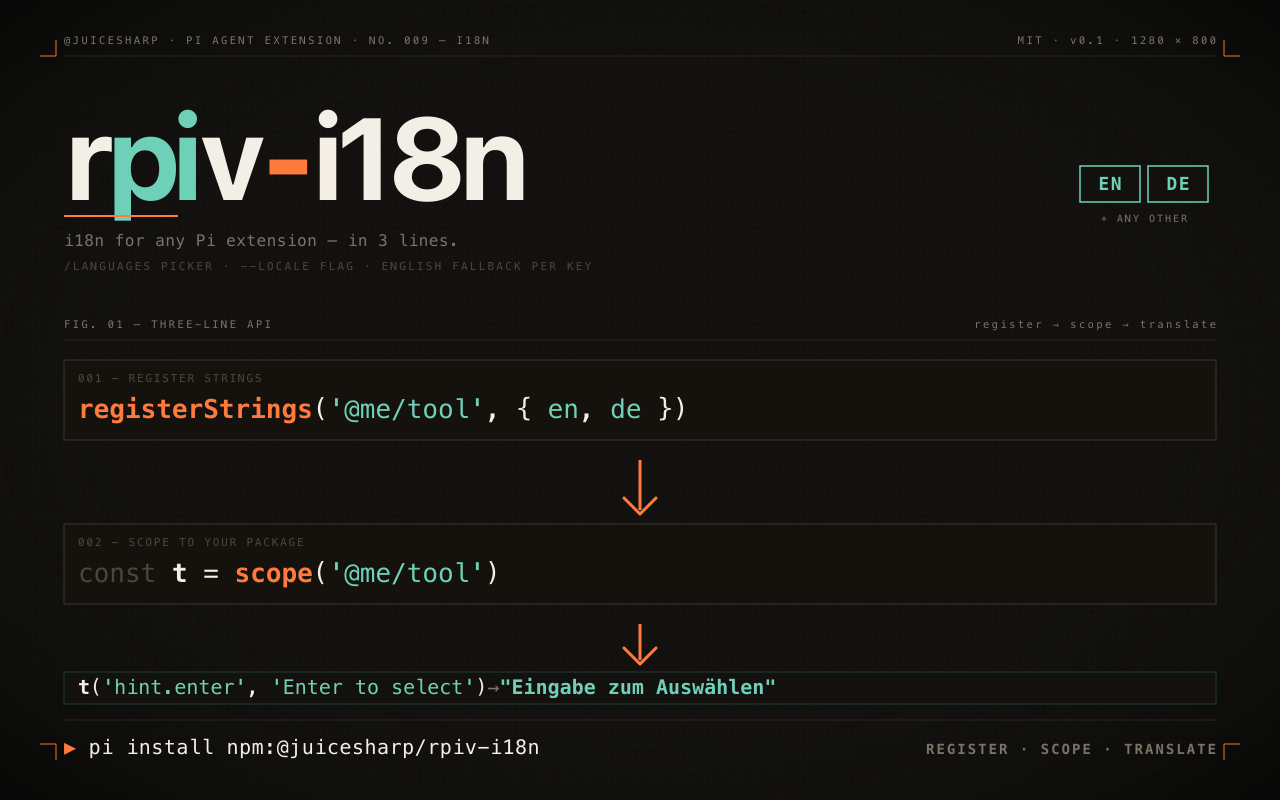
Pick the language every rpiv-* extension speaks in your Pi Agent
terminal. It adds a /languages picker and a --locale flag, and remembers your
choice between sessions. It is also the SDK any Pi extension author calls to make
their own TUI strings translatable — three lines, with English fallback per key.
Install
pi install npm:@juicesharp/rpiv-i18n
Restart your Pi session.
Quick start
Run the picker and choose a language:
/languages
Arrow keys move, Enter selects, Esc cancels. A ✓ marks your current choice,
and a System default row hands control back to your environment. The moment
you select, every installed extension that uses the SDK renders in the new
language — no restart.
To set it for one launch instead, pass the flag:
pi --locale uk
| Code | Language |
|---|---|
de | Deutsch |
en | English |
es | Español |
fr | Français |
pt | Português |
pt-BR | Português (Brasil) |
ru | Русский |
uk | Українська |
zh | 中文 |
To localize your own extension, add @juicesharp/rpiv-i18n to your
peerDependencies (marked optional), then at extension load:
import { scope } from "@juicesharp/rpiv-i18n";
import { registerLocalesFromDir } from "@juicesharp/rpiv-i18n/loader";

registerLocalesFromDir("@my-org/cool-tool", import.meta.url);
export const t = scope("@my-org/cool-tool");
// then t("welcome.title", "Welcome") at every render site
Wrap both imports in the dynamic-import shim from the integration guide below to stay online in English when the SDK is absent.
What you get
- One dial for every extension —
/languageswrites a single preference and rebuilds the strings of every registered package at once, not one setting per tool. - Nine languages, no file editing — every locale in the table above ships with the extension; nothing to download, compile, or configure.
- A localized UI with zero setup on most Unix systems —
LANGandLC_ALLare read at startup, souk_UA.UTF-8gives you Ukrainian chrome before you touch anything. - Your selection cannot silently revert — the picker writes to disk before
applying in memory; if the write fails you get
Failed to save locale preference — selection not persistedand the old locale stays put. - Localize your own extension in one call —
registerLocalesFromDirreads your package'slocales/*.json;scope(ns)gives yout(key, fallback). - A broken translation never takes an extension down — an unparseable locale file warns and is skipped, a missing key falls back to English, and a key missing everywhere returns the inline English literal you passed at the call site.
- Only the TUI is translated — system prompts, tool descriptions, and other LLM-facing copy stay English on purpose, so model behavior does not change with your locale.
Configuration
Your choice is stored at $XDG_CONFIG_HOME/rpiv-i18n/locale.json, defaulting to
~/.config/rpiv-i18n/locale.json. The file is created with mode 0600 and holds
exactly one key:
| Key | What it does | Default |
|---|---|---|
locale | UI locale code, e.g. "uk". Omitted from the file entirely when you pick System default. | absent — falls through to environment detection, then English |
{ "locale": "uk" }
Surfaces and environment inputs:
| Surface | Effect |
|---|---|
/languages | Opens the picker. Requires an interactive session; otherwise it reports /languages requires interactive mode. |
--locale <code> | Sets the locale for that session, ahead of the config file. |
LANG, LC_ALL | Used when no locale is configured. The language segment is taken from <lang>_<REGION>.<charset>; C and POSIX are ignored. |
XDG_CONFIG_HOME | Relocates the config directory. Must be an absolute path or ~-prefixed, per the XDG spec. |
Resolution order: --locale → config file → LANG → LC_ALL → English.
Reference
- SDK reference
— every export from
@juicesharp/rpiv-i18nand/loader, the fallback contract, the detection chain, and theglobalThisescape hatch. - Integration guide — step-by-step guide to localizing your own Pi extension, from optional peer dependency to a live smoke test.
- Contributing translations — what to translate, key naming, file shape, PR checklist.
Requirements
An interactive terminal is needed for /languages; the flag, the config file,
and environment detection all work without one. No API keys, no network access,
no native dependencies. The 0600 permission bit and LANG/LC_ALL detection
are Unix conventions and are not exercised on Windows.
Related
- @juicesharp/rpiv-pi — the
umbrella package; its
/rpiv-setupinstalls this one for you. - @juicesharp/rpiv-todo,
@juicesharp/rpiv-ask-user-question,
and @juicesharp/rpiv-voice
— extensions that follow your
/languageschoice today. Each treats this package as an optional peer and stays online in English without it.
License
MIT — see LICENSE.