
Install
Install with PiG
pig install npm:@ivannovr/pi-prompt-snippetsInstall with Pi
pi install npm:@ivannovr/pi-prompt-snippetsPackages run code with your permissions and influence agent behavior. Catalog inclusion is not a security audit. Review the source before installing a third-party package.
Pi manifest JSON
The pi field of package.json.
{
  "image": "https://raw.githubusercontent.com/IvanNovR/pi-prompt-snippets/main/docs/assets/menu.png",
  "extensions": [
    "./index.ts"
  ]
}
README
Written by the package's publisher, shown as published in version 1.1.0 (README.md). PiG does not review it.
Pi Prompt Snippets



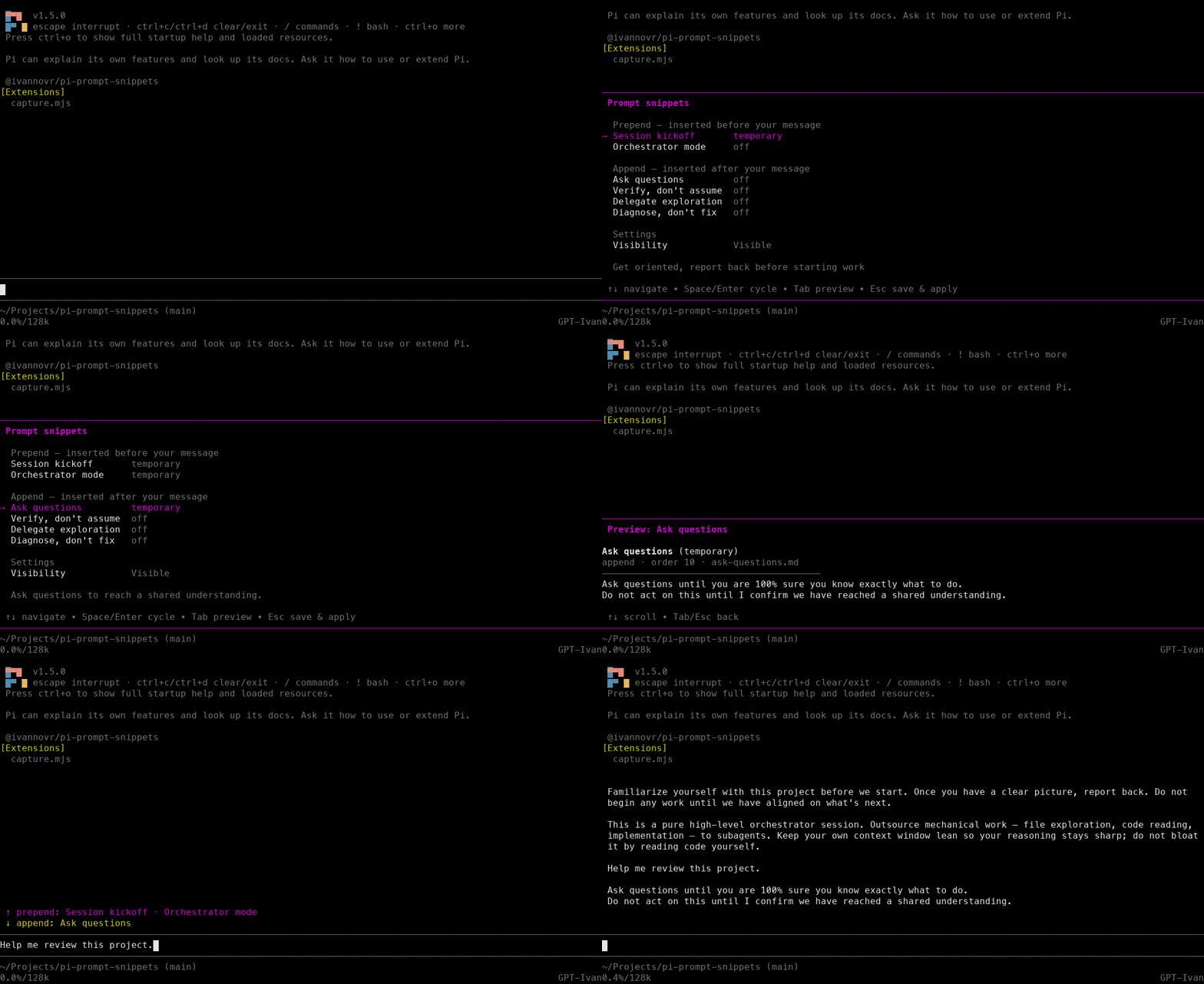
Reusable prompt rules for Pi: select snippets, preview their text, and prepend or append them to your next message.
Install
Requires Pi 1.5 or later.
pi install npm:@ivannovr/pi-prompt-snippets
Alternatively, install from GitHub: pi install git:github.com/IvanNovR/pi-prompt-snippets.
For a local checkout: pi install /absolute/path/to/pi-prompt-snippets. Run /reload in an existing Pi session after installation.
Usage
Open /snippets or press Alt+S.
| Key | Action |
|---|---|
| ↑ / ↓ | Navigate; scroll in preview |
| Space / Enter | Cycle off → temporary → persistent → off; cycle Visible / Hidden on Visibility |
| Tab | Preview the selected snippet; return to the list. No action on Visibility |
| Esc | Save all changes and close the list; in preview, return to the list first |
Selection modes
Highlight a snippet in the menu using ↑ / ↓, then press Space or Enter to change its selection mode: off, temporary, or persistent.
Temporary
Selects the snippet for one use. After application, its selection returns to off. It is not automatically selected in future sessions.
Persistent
Persistent snippets are automatically selected until the session records its first user message. Rejected or intercepted attempts do not consume this eligibility. Empty resumed sessions are eligible; sessions with recorded user history, including forks, are not.
[!NOTE] Persistent snippets are not applied automatically when Pi runs with
--mode json
Placements
Each snippet has a placement value:
- Prepend — inserts the snippet before your message.
- Append — inserts the snippet after your message. This is the default.
The resulting prompt is assembled as:
Prepend snippets → Your message → Append snippets
Within each group, snippets are sorted by order, then by name. Placement is independent of selection mode and visibility.
Visibility
One setting controls all snippets, both automatic and manual:
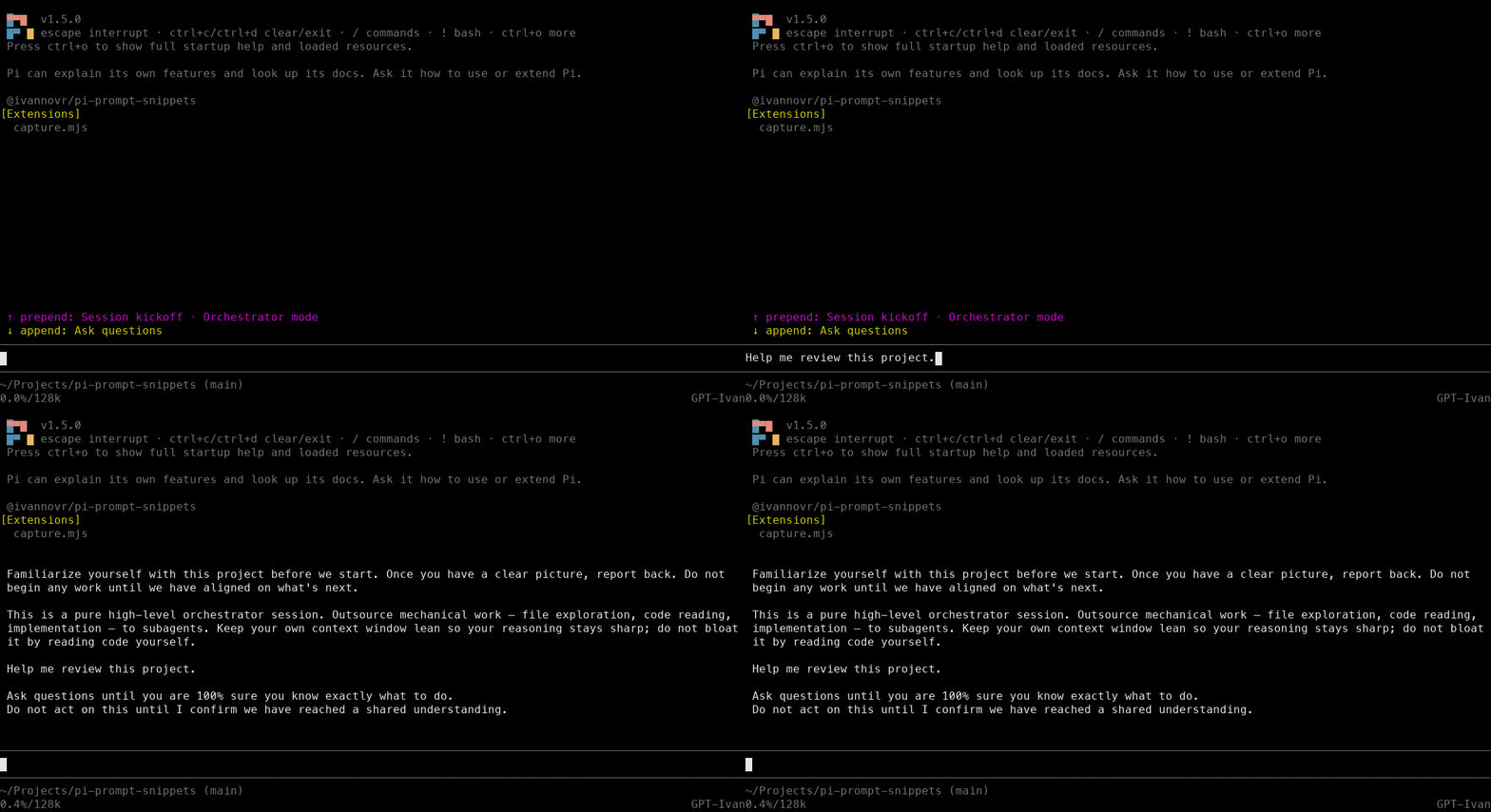
- Visible (default): show snippet text in the live chat.
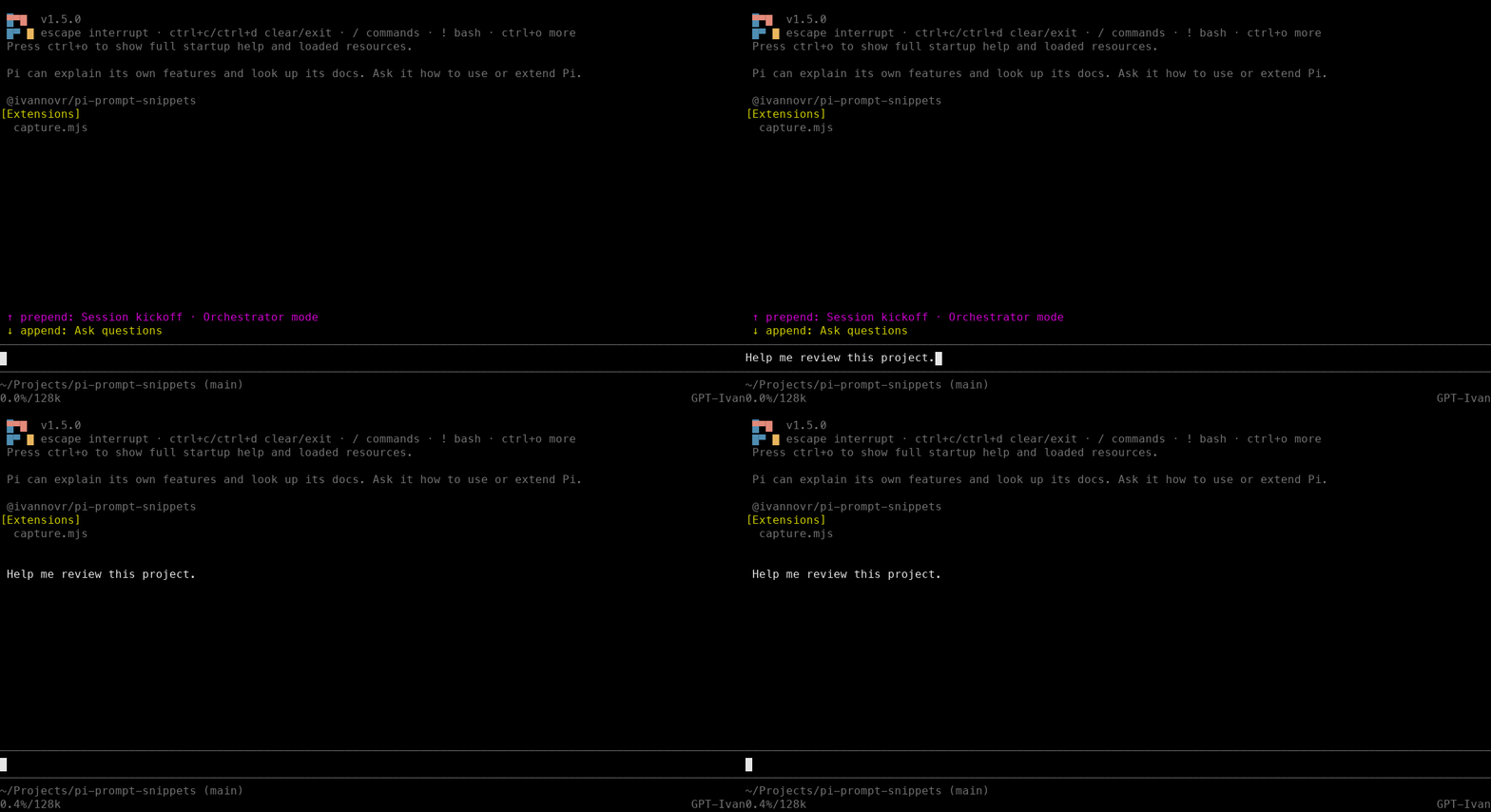
- Hidden: omit snippet text from the initial display. The model and saved history still receive it, so reloading the session may reveal it.
The setting is saved in ~/.pi/agent/prompt-snippets-config.json as {"visibility":"visible"} or {"visibility":"hidden"}. Missing or invalid configuration defaults to Visible.
Queue and mid-send behavior
- In Visible, every input processed before the first user message is recorded can receive automatic snippets, including multiple queued inputs. In Hidden, only the first recorded message receives them automatically.
- A manual Visible selection is consumed when its input is processed, even if a later check rejects it. A manual Hidden selection waits until a user message is recorded.
- Changing Visibility does not reactivate used snippets. For messages already in flight, the result is best-effort: they may use either mode or omit snippets. A guard prevents the same snippet from being added again through Hidden after Visible insertion; it may also skip snippets after a rejected Visible attempt followed by a switch to Hidden.
Showcase
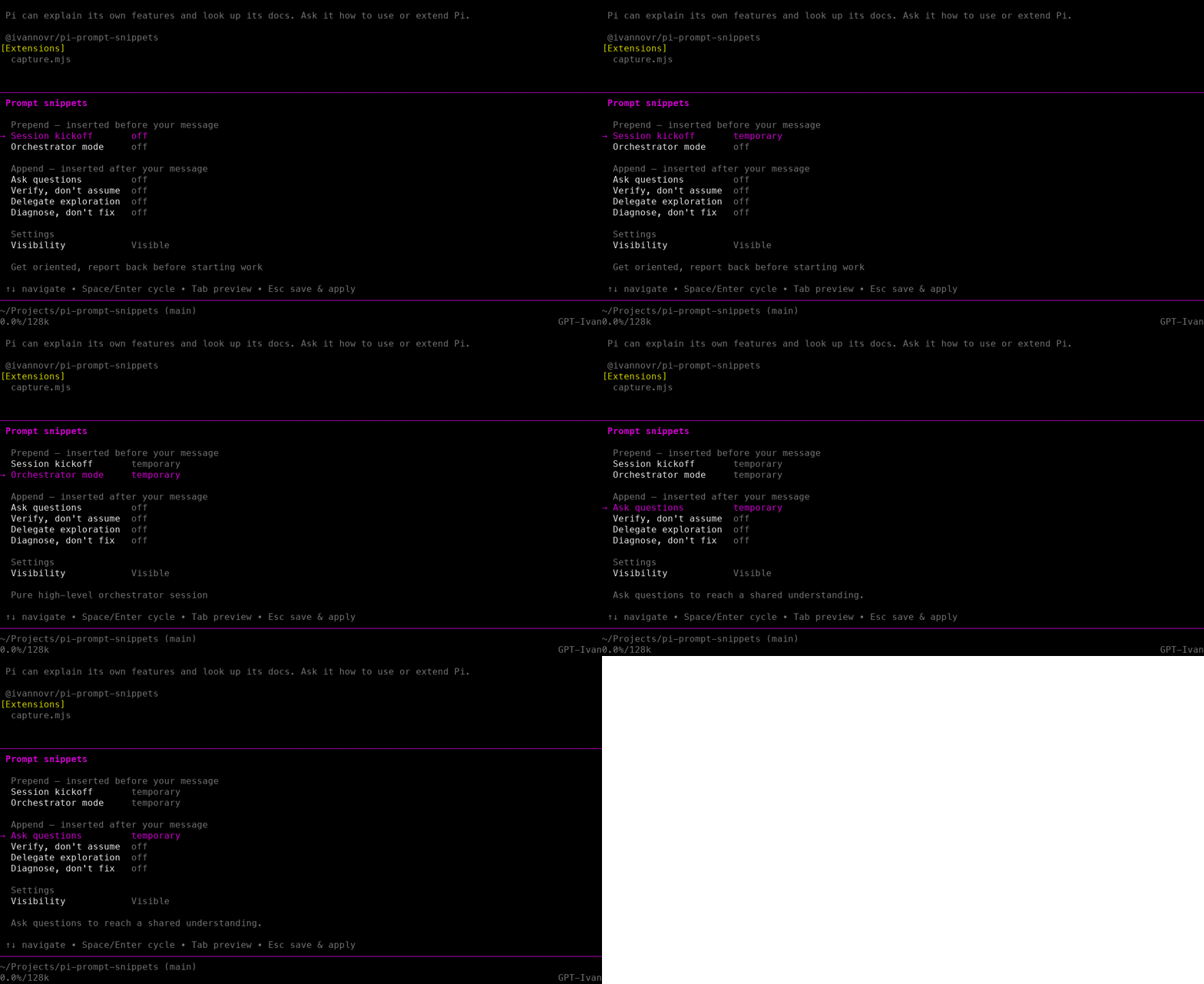
Selecting snippets
Select snippets and preview their text before sending.
Sending in Visible mode
Snippet text appears in the sent message.
Sending in Hidden mode
Only your original message appears in the live chat. The model still receives the snippet text.
Snippet format
Add .md files to ~/.pi/agent/snippets/:
---
name: Concise answers
description: Keep the response focused
placement: append
order: 100
persistent: false
---
Respond concisely and stay on topic.
Frontmatter supports simple key: value lines, not full YAML.
| Field | Default | Description |
|---|---|---|
name | Filename without .md | Display name in the menu |
description | Empty | Short description |
placement | append | prepend or append; see Placements |
order | 9999 | Sort priority within each placement group; lower values come first |
persistent | false | Automatically select the snippet for the session's first message. |
The --- frontmatter delimiters and a nonempty body are required. Fields may be omitted to use their defaults.
Files are reread when opening the menu or applying snippets.
[!NOTE] Missing bundled snippets are restored at session startup; existing files are left unchanged. Edit a bundled snippet to customize it—deleting it does not permanently remove it.
Credits
Original idea and implementation: amosblomqvist/pi-config. Package maintenance and enhancements: IvanNovR.
Development and releases
Use Node 24.21.0 and npm 11.19.0: npm ci, then npm test and npm run check:package.
All new commits, including bot commits and squash titles, must use Conventional Commits (for example, feat: add a snippet or fix: preserve selection).
See the maintainer release guide for the gated bootstrap, trusted publishing setup, and partial-publication recovery. Nothing publishes automatically in preparation mode.