
Install
Install with PiG
pig install npm:@itc-steve/pi-themeInstall with Pi
pi install npm:@itc-steve/pi-themePackages run code with your permissions and influence agent behavior. Catalog inclusion is not a security audit. Review the source before installing a third-party package.
Pi manifest JSON
The pi field of package.json.
{
  "themes": [
    "./themes"
  ],
  "extensions": [
    "./index.ts"
  ]
}
README
Written by the package's publisher, shown as published in version 0.2.2 (README.md). PiG does not review it.
pi-theme
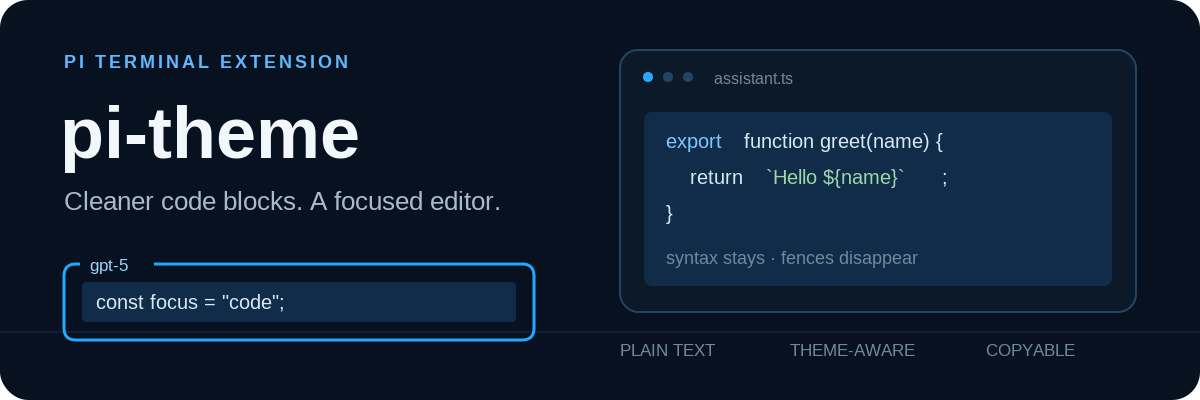
Personal Pi Theme — a small Pi package: a dark pi-theme palette plus cleaner code blocks and a focused editor frame.
What changes
Palette
After pi install, pi-theme shows up in /settings → Theme. Matches Noctalia's electric-blue palette: charcoal backgrounds, electric-blue accents, cyan highlights, gold strings, green functions. Tweak themes/pi-theme.json (vars first). This is a static palette, not automatic Noctalia sync.
Fenceless code blocks
Fenced Markdown code renders without visible backtick fences. Syntax highlighting remains, and each line fills the available width with Pi's toolPendingBg theme color. Blockquotes keep italic/quote color but drop the │ gutter, so a line select copies the text instead of the chrome.
Boxed editor
The input editor gets a ╭─╮ │ ╰─╯ frame. Border color is Pi's live editor border: thinking-level tokens (thinkingOff…thinkingMax) or bashMode. Top border shows the active model and a braille spinner while Pi works. Scroll hints move into the top and bottom borders.
Install
Review the source first: Pi extensions run with your full system permissions.
pi install npm:@itc-steve/pi-theme
Restart Pi after installation. Local checkout:
pi install /path/to/pi-theme
Development
Requirements: Node.js with TypeScript type stripping support and Pi's core packages available as peers.
npm test
The package has no runtime dependencies beyond Pi.
License
MIT © 2026 itc-steve