
Install
Install with PiG
pig install npm:@hcflabs/pi-notesInstall with Pi
pi install npm:@hcflabs/pi-notesPackages run code with your permissions and influence agent behavior. Catalog inclusion is not a security audit. Review the source before installing a third-party package.
Pi manifest JSON
The pi field of package.json.
{
  "image": "https://raw.githubusercontent.com/hcflabs/pi-harness/main/extensions/pi-notes/example.png",
  "extensions": [
    "./extensions/notes.ts"
  ]
}
README
Written by the package's publisher, shown as published in version 3.3.0 (README.md). PiG does not review it.
@hcflabs/pi-notes
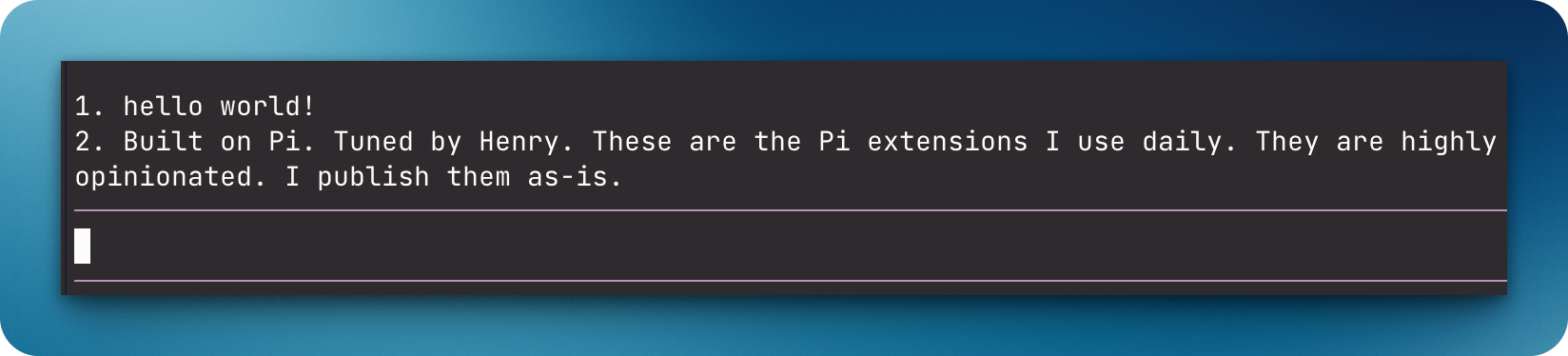
Keep worktree reminders above the Pi editor across sessions.
Install
pi install npm:@hcflabs/pi-notes
Use
Run /note Verify the migration rollback. in a Git worktree or any other directory. The reminder appears immediately and in later sessions.
These commands and the widget are for people.
| Surface | Type | Purpose |
|---|---|---|
/note <text> | command | Add a worktree note. |
/note-rm | command | Select and remove a note. |
/note-clear | command | Clear worktree notes. |
| Notes widget | ui | Show worktree notes. |
Each worktree has separate notes. Outside a Git repository, for example in a parent directory that holds many repositories, the notes belong to the real path of the working directory. A subdirectory of that directory has its own notes. The TUI numbers notes and limits each to two lines. Other modes show plain text without that limit. Empty widgets stay hidden.
State and storage
Commands save notes to ~/.pi/agent/config/pi-notes/<worktree-sha256>.json. Outside a Git repository, the hash is of the real path of the working directory.
Session start and note changes silently delete stale files for removed repositories, worktrees, and directories.
If a directory with notes becomes a Git repository, the old notes do not apply to it. The widget shows Worktree notes belong to an old worktree; run /note-clear to reset.
Limits and recovery
Each worktree or directory holds at most four notes. /note trims surrounding whitespace and replaces whitespace sequences with one space. It rejects remaining control characters with Notes cannot contain terminal control characters.
The extension validates files as untrusted data. Malformed files stay unchanged and block changes for their worktree. Fix the file or reset it with /note-clear.
Git failures other than "not a Git repository" are errors. Examples are a Git timeout, a missing git program, and a bare repository. The commands show the error and change no file. The widget stays empty.