
Install
Install with PiG
pig install npm:@ghoseb/pi-askuserquestionInstall with Pi
pi install npm:@ghoseb/pi-askuserquestionPackages run code with your permissions and influence agent behavior. Catalog inclusion is not a security audit. Review the source before installing a third-party package.
Pi manifest JSON
The pi field of package.json.
{
  "extensions": [
    "./src/index.ts"
  ]
}
README
Written by the package's publisher, shown as published in version 1.0.1 (README.md). PiG does not review it.
pi-askuserquestion
A pi coding agent extension that gives the LLM a structured, interactive way to ask you questions — instead of guessing or rambling, the agent pauses, presents choices, and waits for your answer.
Heavily inspired by the AskUserQuestion tool in Claude Code. Credit where it's due.
What it looks like
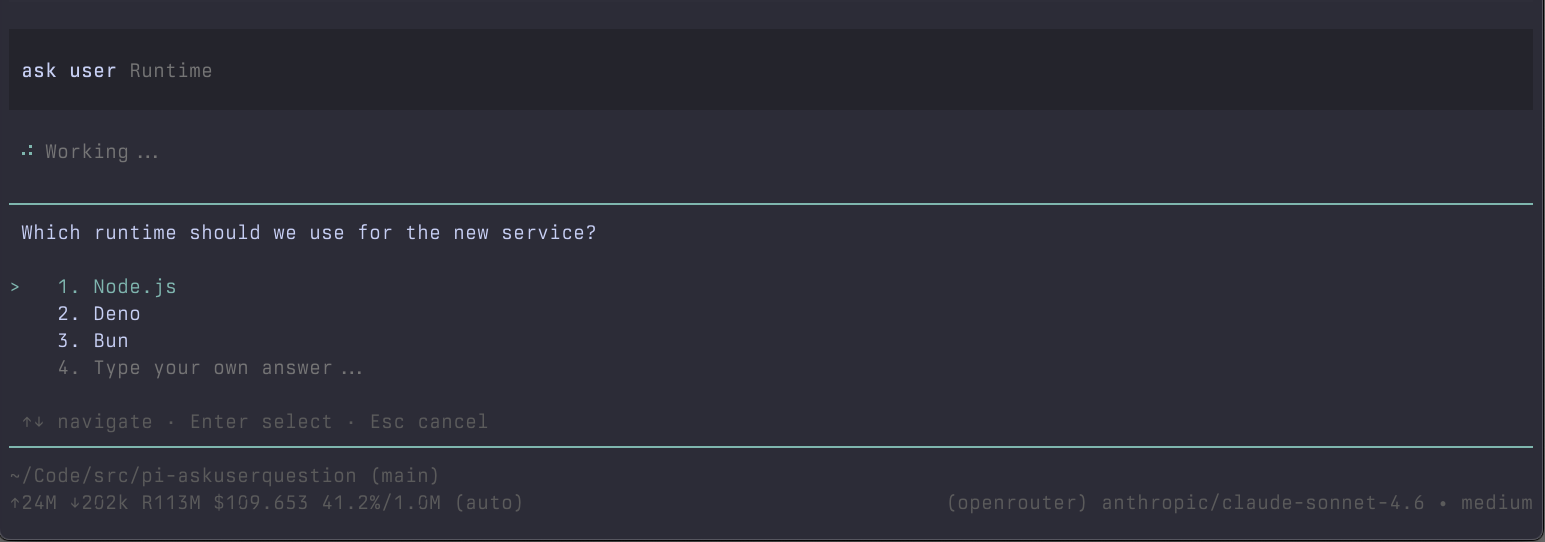
Single question — single select
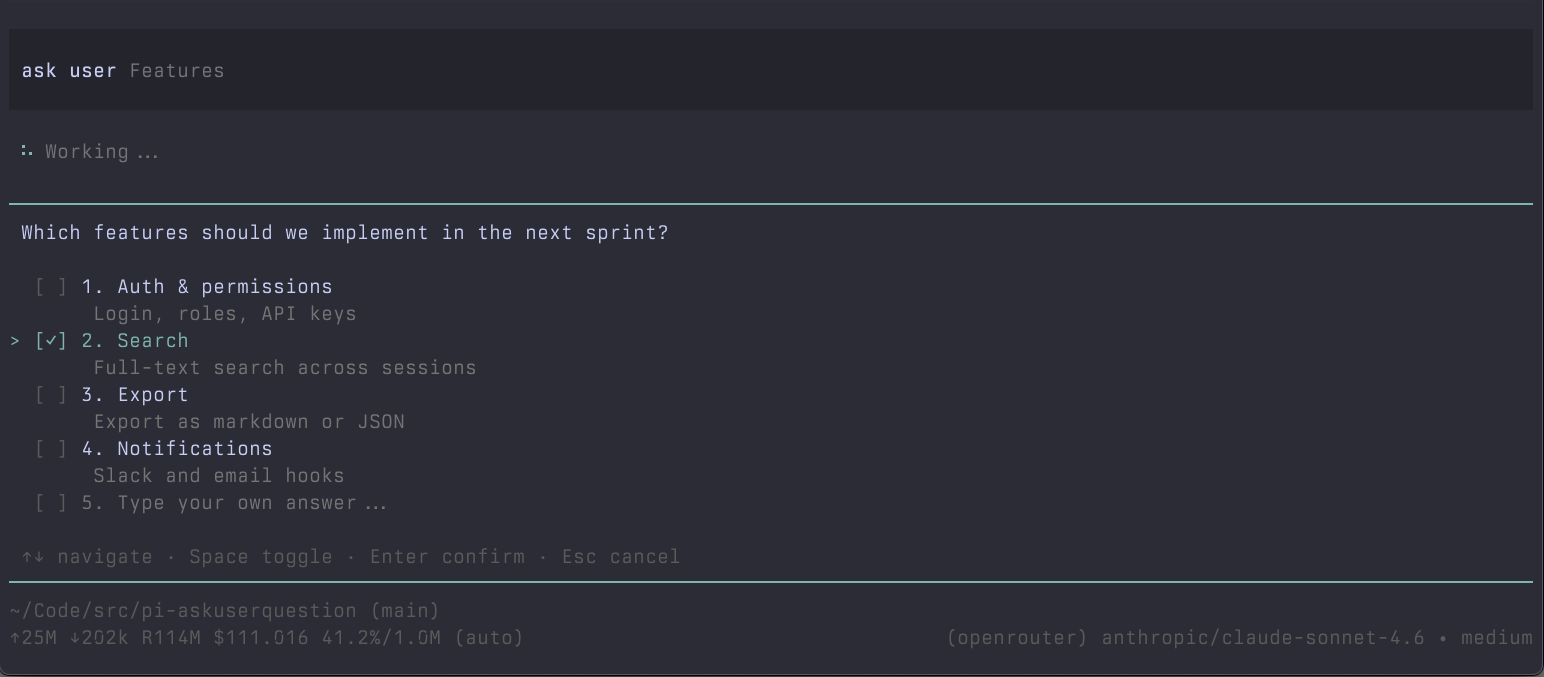
Single question — multi select with checkboxes
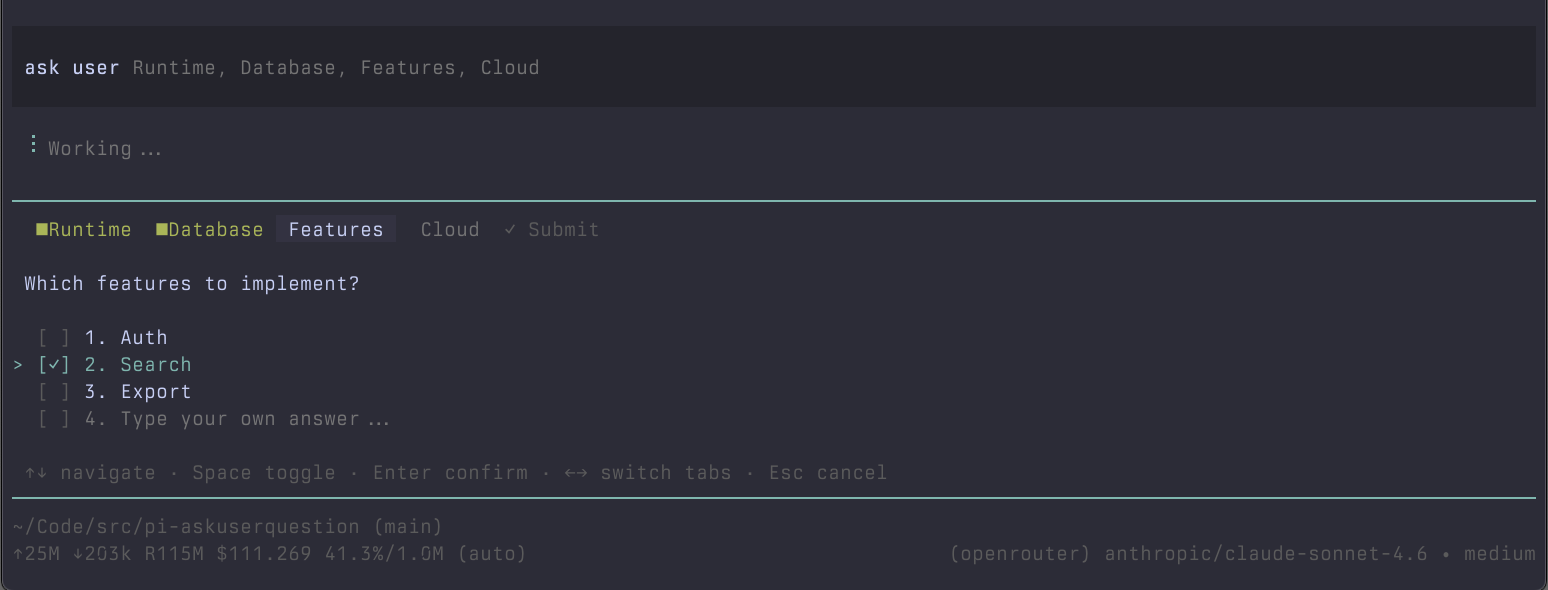
Multiple questions — tab view
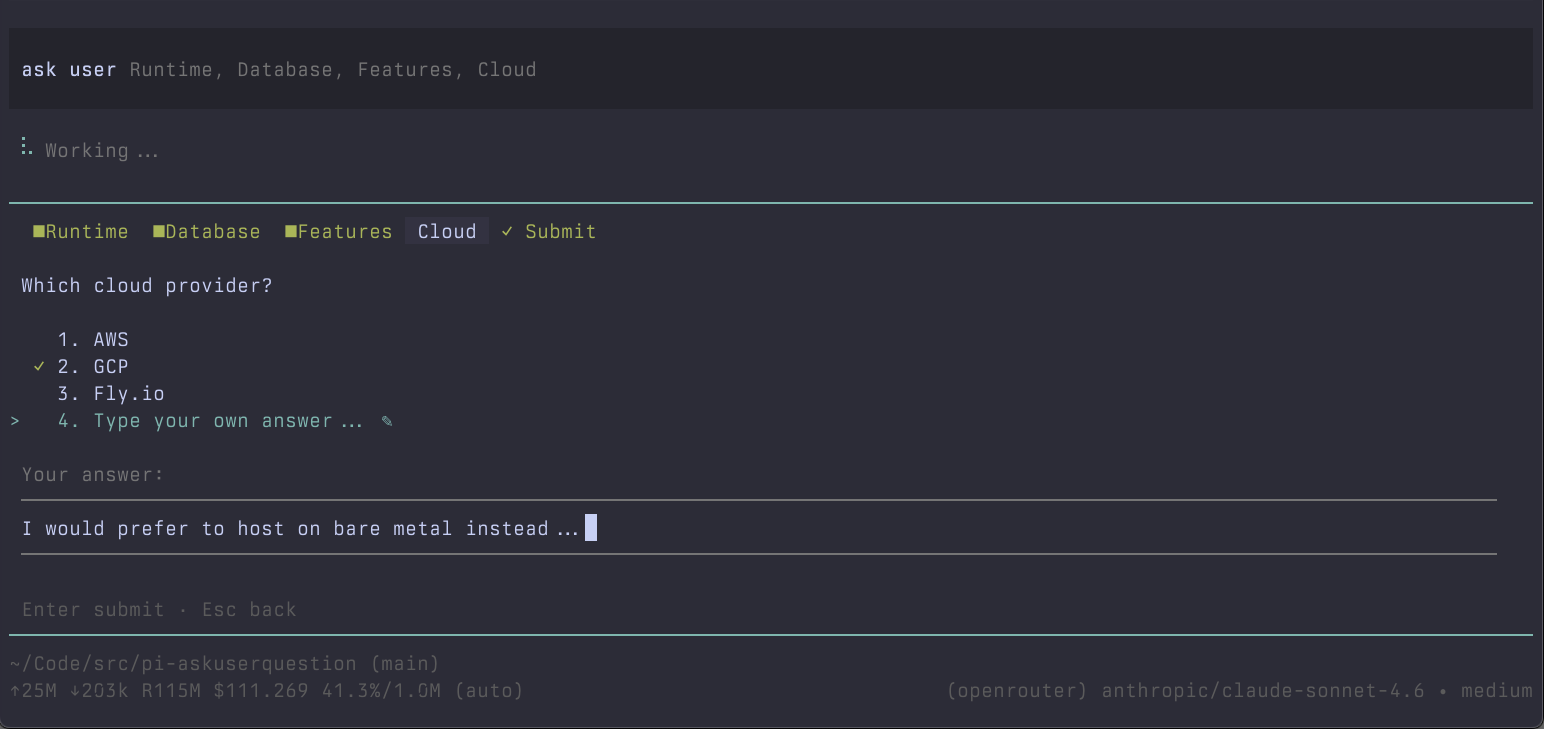
Free-text answer
Submit review
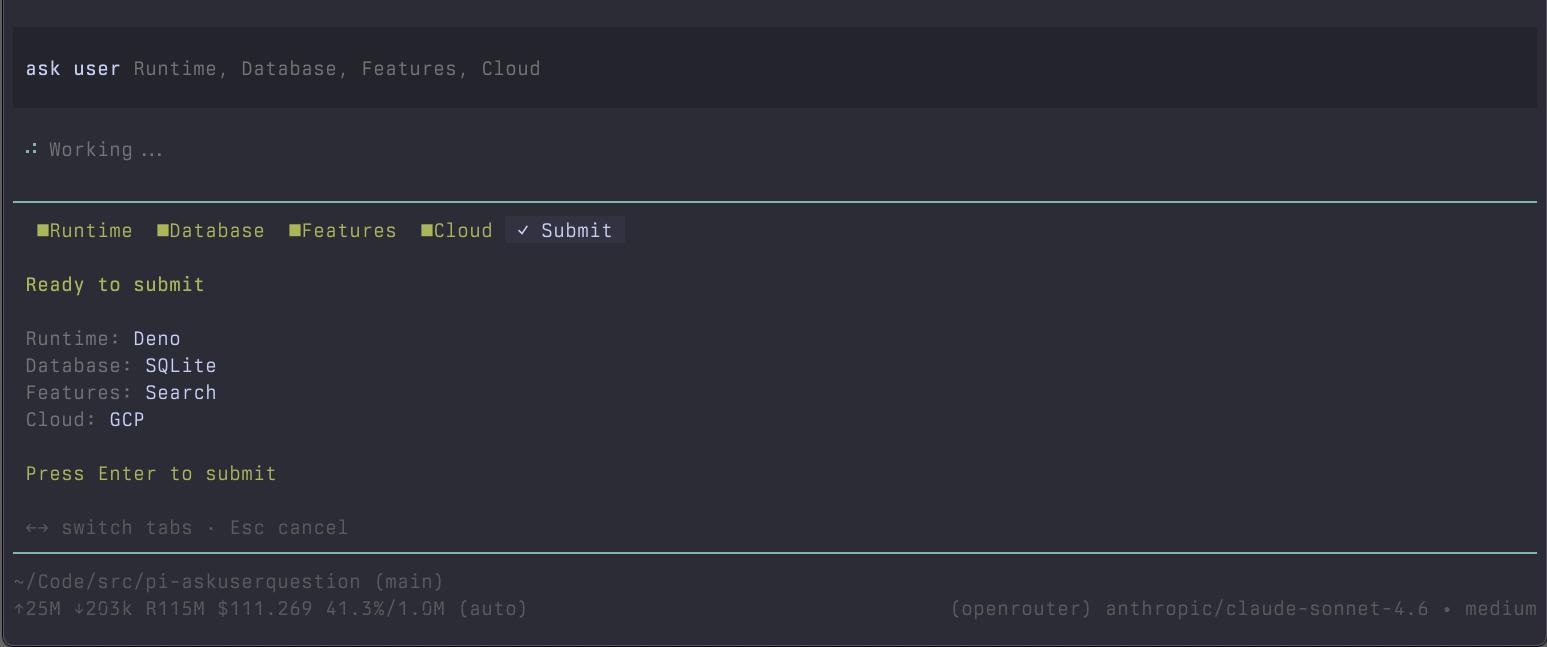
Install
pi install npm:@ghoseb/pi-askuserquestion
Or from git:
pi install git:github.com/ghoseb/pi-askuserquestion
Usage
Once loaded, the tool is available to the LLM automatically. Just ask it to clarify something before proceeding:
Help me scaffold a new web app. Ask me what you need to know first.
I want to refactor this module. Ask me about my preferences before making changes.
The LLM will call ask_user_question with structured questions. You answer in the TUI. The answers are returned to the LLM and it continues.
Tool schema
The LLM calls the tool with this shape:
{
  questions: Array<{
    question: string;       // Full question text
    header: string;         // Short tab label (max 12 chars)
    options: Array<{
      label: string;        // Answer value returned to LLM
      description?: string; // Optional hint shown below label
    }>;                     // 2–4 options
    multiSelect: boolean;   // true = checkboxes, false = single pick
  }>                        // 1–4 questions
}
Answers are returned as:
{
  answers: {
    [questionText]: "Selected Label"          // single-select
    [questionText]: "Label A, Label B"        // multi-select (joined)
    [questionText]: "user typed text"         // free-text
  }
}
Key bindings
| Key | Context | Effect |
|---|---|---|
↑ ↓ | Options list | Move cursor |
Enter | Single-select option | Confirm selection |
Space | Checkbox option | Toggle selection |
Enter | Multi-select (with selection) | Confirm |
Space or Tab | "Type something..." row | Open inline editor |
Enter | Editor (with text) | Save and close |
Enter | Editor (empty) | Clear saved text and close |
Esc | Editor | Discard and close |
← → | Multi-question tab bar | Switch tabs |
Enter | Submit tab (all answered) | Submit all answers |
Esc | Anywhere | Cancel entire question |
Behaviour notes
- Cursor ≠ selection — moving the cursor does not select an answer. Only
Enter(single-select) orSpace(multi-select) records a choice. - Auto-confirm on
→— navigating away from a multi-select question with selections auto-confirms it. Single-select requires explicitEnter. - Free-text + checkboxes — on multi-select questions, you can check boxes AND type custom text. Both are included in the answer, joined by
,. - Non-interactive sessions — if called outside an interactive session (e.g. print mode), the tool disables itself for the rest of the session so the LLM won't retry.
- Undo free-text — re-open the editor, clear the text, press
Enter. The saved answer is cleared. - Change your mind — navigate back to any tab and re-answer. Confirmed state updates automatically.
Project structure
src/
  schema.ts         — TypeBox schemas for tool input and result
  component.ts      — Interactive TUI component (pi-tui, no pi runtime needed)
  index.ts          — Extension entry point (registers the tool)
tests/
  component.test.ts — 108 unit tests (vitest)
Development
pnpm install
pnpm test          # run tests
pnpm coverage      # coverage report
pnpm check         # oxlint + oxfmt check + jscpd dupe check + knip dead code
pnpm fmt           # format with oxfmt
pnpm changelog     # preview unreleased changelog entries
Releasing
Commits follow Conventional Commits; CHANGELOG.md is generated by git-cliff.
pnpm release             # bump inferred from commits (feat → minor, fix → patch)
pnpm release minor       # or patch | major | x.y.z
git push --follow-tags
npm publish
pnpm release requires a clean tree on main, runs pnpm check and pnpm test, bumps package.json, regenerates CHANGELOG.md, commits chore(release): vX.Y.Z, and creates an annotated tag. It does not push or publish.
Load with pi for live testing:
pi -e ./src/index.ts
License
MIT