
Install
Install with PiG
pig install npm:@eiei114/pi-sub-barInstall with Pi
pi install npm:@eiei114/pi-sub-barPackages run code with your permissions and influence agent behavior. Catalog inclusion is not a security audit. Review the source before installing a third-party package.
Pi manifest JSON
The pi field of package.json.
{
  "extensions": [
    "./index.ts",
    "node_modules/@eiei114/pi-sub-core/index.ts",
    "../pi-sub-core/index.ts"
  ]
}
README
Written by the package's publisher, shown as published in version 2.9.1 (README.md). PiG does not review it.
sub-bar
Usage widget extension for pi-coding-agent.
Displays current provider usage in a widget below the editor. Fetching and caching are handled by sub-core.
Impressions
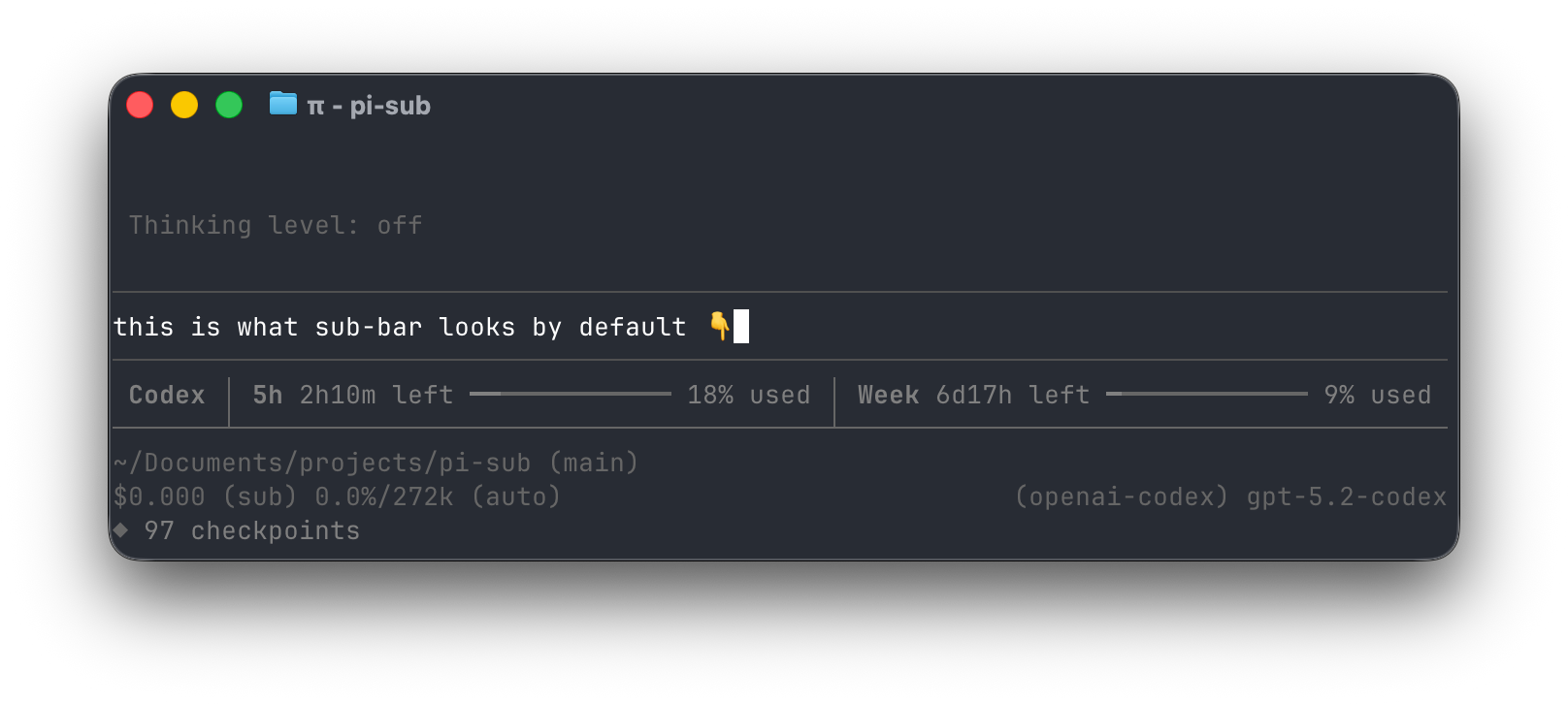
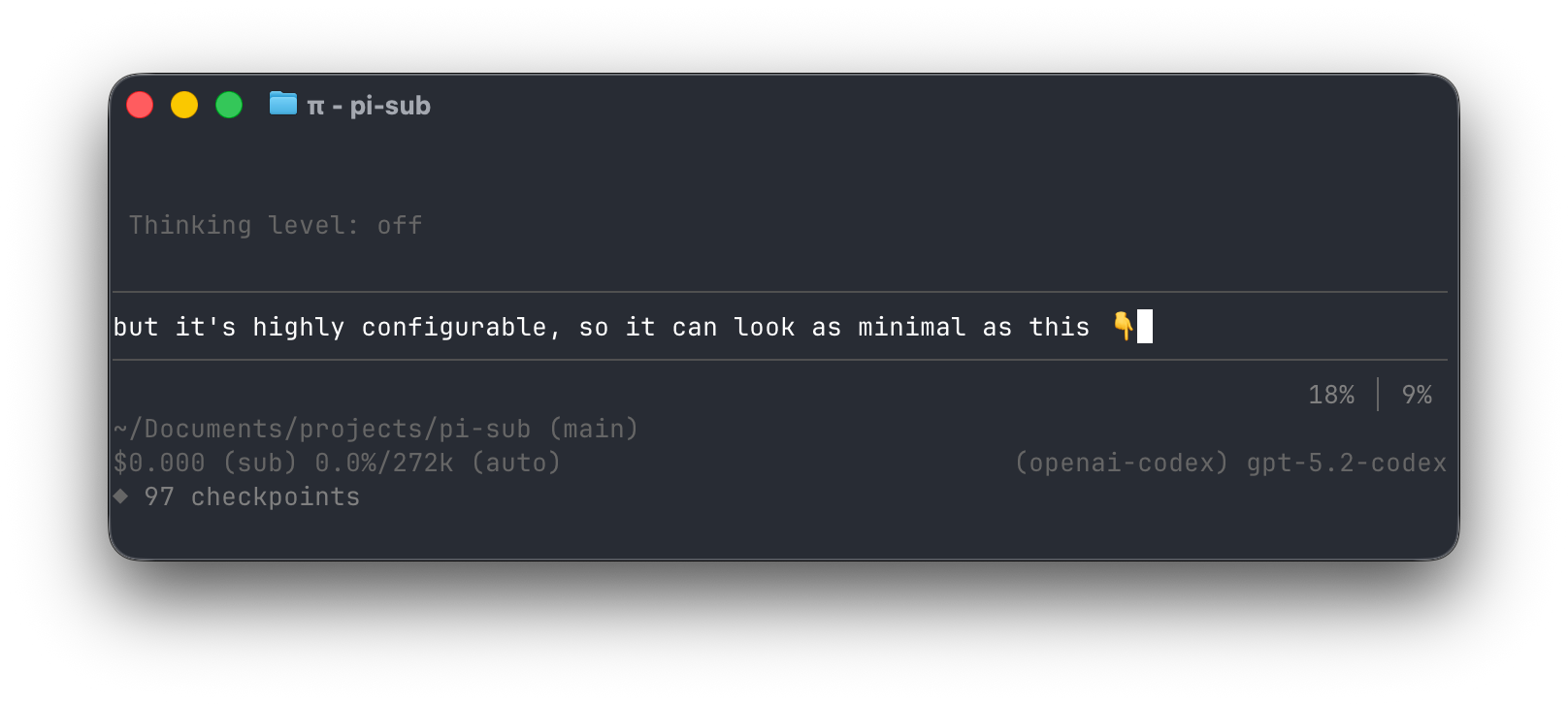
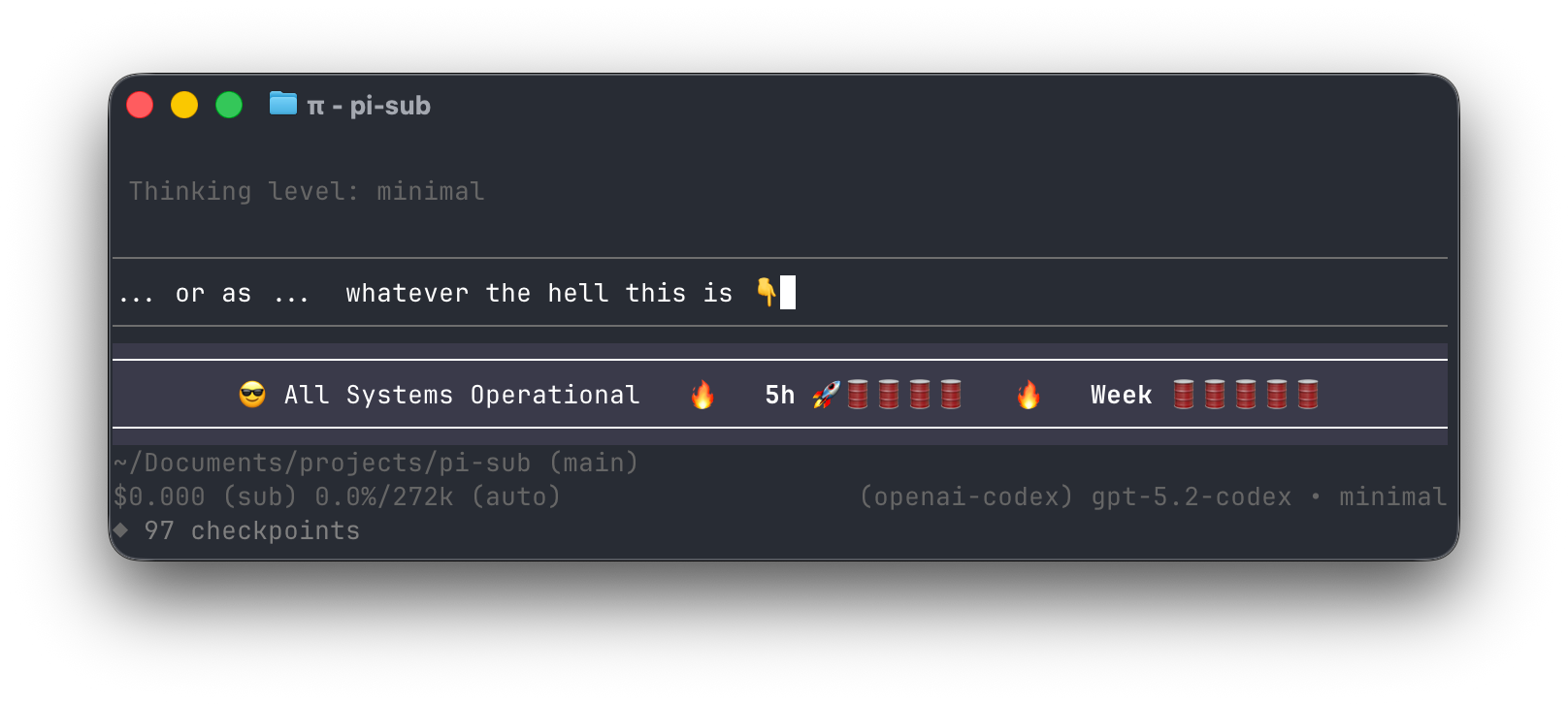
Overview
Features
- Displays realtime usage quotas for multiple AI providers
- Auto-detects provider from current model (via sub-core)
- Shows rate limit windows with visual progress bars
- Status indicators from provider status pages
- Theme save/share/import and
sub-bar:importpreview flow - Provider Shown selector to pin the displayed provider
- Extensive settings UI via
sub-bar:settings - Cycle through providers with
Ctrl+Alt+P
Supported Providers
| Provider | Usage Data | Status Page |
|---|---|---|
| Anthropic (Claude) | 5h/Week windows, extra usage | ✅ |
| GitHub Copilot | Monthly quota, requests | ✅ |
| Google Gemini | Pro/Flash quotas | ✅ |
| Antigravity | Model quotas | ✅ |
| OpenAI Codex | Primary/secondary windows | ✅ |
| OpenCode | 5h/Week/Month windows | - |
| OpenDesign | 5h/Week windows | - |
| AWS Kiro | Credits | - |
| z.ai | Tokens/monthly limits | - |
| xAI (Grok) | Subscription quota window | - |
| Devin | Daily/Weekly organization quota | - |
| Meta (Muse) | Signed-in state only (no quota data) | - |
Provider Feature Matrix
| Provider | Usage Windows | Extra Info | Status Indicator | Tested | Notes |
|---|---|---|---|---|---|
| Anthropic (Claude) | 5h, Week, Extra | Extra usage label | ✅ | ✅ | Extra usage can show on/off state |
| GitHub Copilot | Month | Model multiplier + requests left | ✅ | ✅ | Requests left uses model multiplier |
| Google Gemini | Pro, Flash | - | ✅ | - | Quotas aggregated per model family |
| Antigravity | Models | - | ✅ | ✅ | Sandbox Cloud Code Assist quotas |
| OpenAI Codex | Primary, Secondary | - | ✅ | ✅ | Credits not yet supported (PRs welcome!) |
| OpenCode | 5h, Week, Month | - | - | ✅ | Go subscription quotas, unofficial API |
| OpenDesign | 5h, Week | - | - | ✅ | Design Plan Coding Plan windows from the Vela CLI (vela login), unofficial; workspace id required |
| AWS Kiro | Credits | - | - | - | - |
| z.ai | Tokens, Monthly | - | - | - | API quota limits |
| xAI (Grok) | Week, Month, Usage | - | - | - | Subscription (SuperGrok/Grok) quota only, unofficial endpoint, base xai OAuth account only |
| Devin | Day, Week | - | - | - | Organization quota, unofficial endpoint, session token from the devin auth.json entry |
| Ollama Cloud | Session, Week, Month | Cost | - | - | ollama.com usage quota, API key from OLLAMA_API_KEY or the ollama-cloud auth.json entry |
| Meta (Muse) | - | - | - | - | Subscription sign-in state only: Meta publishes no usage endpoint, base meta OAuth account only |
Installation
Install via the pi package manager (recommended). sub-bar bundles sub-core, so you only need to install sub-bar:
pi install npm:@eiei114/pi-sub-bar
Use -l to install into project settings instead of global:
pi install -l npm:@eiei114/pi-sub-bar
If you previously installed sub-core separately, remove it from ~/.pi/agent/extensions or ~/.pi/agent/settings.json to avoid duplicate core instances.
Manual install (local development):
git clone https://github.com/eiei114/pi-sub.git
cd pi-sub
npm install

ln -s /path/to/pi-sub/packages/sub-bar ~/.pi/agent/extensions/sub-bar
For local development, also ensure sub-core is available (either link it separately or link it into packages/sub-bar/node_modules).
Alternative (no symlink): add sub-bar to ~/.pi/agent/settings.json:
{
  "extensions": [
    "/path/to/pi-sub/packages/sub-bar/index.ts"
  ]
}
Usage
The extension loads automatically. Use:
sub-bar:settings- Open display + provider UI settings (includes Provider Shown)sub-bar:import <share string>- Preview a shared theme and choose to save/applysub-core:settings- Configure provider enablement/order + usage/status refresh settingsCtrl+Alt+P- Cycle through available providers (configurable)Ctrl+Alt+R- Toggle reset timer format (configurable)
Keybindings:
Shortcuts are configurable via sub-bar:settings → Keybindings. Enter any valid key combo (e.g. ctrl+alt+p, ctrl+shift+s) or none to disable a shortcut. Keybinding changes take effect after pi restart.
Caching:
- Handled by sub-core at
~/.pi/agent/cache/sub-core/cache.json - Cache TTL matches your auto-refresh interval setting
- Lock file prevents race conditions between multiple pi windows
Communication with sub-core
sub-bar is a display client. It listens for sub-core:update-current/sub-core:ready events and renders the widget. On startup it requests the current state via sub-core:request.
sub-bar manages display settings and UI-only provider options (window visibility, labels, status indicator). Provider enablement lives in sub-core, but the sub-bar settings UI can toggle Enabled (auto/on/off) and forwards changes to sub-core:settings:patch. Ordering and refresh behavior are configured in sub-core:settings, and sub-core broadcasts updates that sub-bar consumes. The cycle command forwards to sub-core:action so core updates provider selection and then broadcasts the new state.
Settings
Display and provider UI settings are stored in ~/.pi/agent/pi-sub-bar-settings.json (migrated from the legacy extension settings.json when present; the legacy file is removed after a successful migration). Core settings are managed by sub-core, and the sub-bar settings menu includes a shortcut that points you to sub-core:settings for additional options.
Settings migrations: settings are merged with defaults on load, but renames/removals are not migrated automatically. When adding new settings or changing schema, update the defaults/merge logic and provide a migration (or instruct users to reset pi-sub-bar-settings.json).
Provider UI Settings
Use sub-bar:settings → Provider Settings to control enabled state (auto/on/off), status indicators, and per-provider window visibility.
OpenRouter separates the API key in use from the account wallet, so each has its own toggles and neither set relabels the other's data:
| Setting | Default | Shows |
|---|---|---|
| Show Key Limit Window | on | Key limit percentage window (only for a real numeric cap) |
| Show Key Spend | on | Key spend: $… and Key cap: $… / Key cap: none |
| Show Credits Window | on | Credits percentage window for the account wallet |
| Show Remaining Credit | on | Account credit: $… left, or Account credit: unavailable when the wallet could not be read |
| Show Credit Breakdown | off | Appends used/total to the account credit line |
An uncapped key has nothing to draw a bar for, so it shows only the key and account lines — a snapshot without windows is still rendered when it carries these extras.
Core Settings
Use sub-core:settings to configure provider enablement (auto/on/off), fetch status, usage refresh settings, status refresh settings, and provider order.
Display Settings
Use Display Settings → Theme to save, load, import, and randomize display themes.
Display Settings cover layout, bars, labels/text, reset timers, status indicators, dividers, and color tuning. Open sub-bar:settings → Display Settings to explore the full list in the UI.
Credentials
Credentials are loaded by sub-core from:
~/.pi/agent/auth.json- pi's auth file- Provider-specific locations (e.g.,
~/.codex/auth.json,~/.gemini/oauth_creds.json) - macOS Keychain for Claude Code credentials
- Environment variables (e.g.,
Z_AI_API_KEY,XAI_OAUTH_TOKEN)
xAI (Grok) shows the subscription quota of the base xai OAuth entry only. XAI_API_KEY is not used: it is a valid developer-API credential, but that API cannot report subscription quota. Numbered accounts (xai-2, …) show no usage rather than the base account's numbers, and the endpoint is unofficial, so it can break without notice.
OpenCode Go likewise shows the usage of the base credential only: numbered accounts (opencode-go-2, …) show no usage rather than the base account's numbers.
Meta (Muse) shows only the subscription sign-in state of the base meta OAuth entry: Meta publishes no usage endpoint, so no quota is displayed (unknown, not unlimited). META_API_KEY is not used, and numbered accounts (meta-2, …) show no state rather than the base account's.
Development
Packaging notes (pi install compatibility)
Pi packages use a pi field in package.json plus the pi-package keyword for discoverability. This repo already declares pi.extensions, so you can install via:
pi install npm:@eiei114/pi-sub-core
pi install npm:@eiei114/pi-sub-bar
Manual paths/symlinks still work for local development as documented above.
Architecture
sub-bar/
├── index.ts              # Extension entry point (display client)
├── src/
│   ├── formatting.ts     # UI formatting
│   ├── status.ts         # Status indicator helpers
│   ├── utils.ts          # Display helpers
│   ├── providers/        # Display metadata + visibility rules
│   ├── settings/         # Settings UI helpers
│   ├── settings-types.ts # Settings type definitions
│   ├── settings.ts       # Settings persistence
│   └── usage/types.ts    # Shared usage types
├── package.json
└── tsconfig.json
Adding a New Provider
Update both sub-core (fetch) and sub-bar (display). See sub-core/README.md for the full checklist.
Feature placement (UI vs core)
- sub-bar owns presentation (formatting, layout, status indicators, UI settings).
- sub-core owns data fetching, caching, provider selection, and shared settings/events.
- Add shared types to sub-shared when both layers reference them.
See the root README “Developer guide” for the full decision checklist and examples.
Commands
npm run check
Credits
HannesHelmut Januschka (usage-bar.ts, @hjanuschka)- Peter Steinberger (CodexBar, @steipete)
License
MIT