
Install
Install with PiG
pig install npm:@adeildo/pi-harnessInstall with Pi
pi install npm:@adeildo/pi-harnessPackages run code with your permissions and influence agent behavior. Catalog inclusion is not a security audit. Review the source before installing a third-party package.
Pi manifest JSON
The pi field of package.json.
{
  "extensions": [
    "./src/permission.ts",
    "./src/look.ts",
    "./src/providers.ts",
    "./src/questions.ts",
    "./src/skills.ts",
    "./src/names.ts",
    "./src/compact.ts",
    "./src/peers.ts",
    "./src/remote.ts",
    "./src/web.ts",
    "./src/diagrams.ts"
  ]
}
README
Written by the package's publisher, shown as published in version 7.1.0 (README.md). PiG does not review it.


Every piece of pi-harness in one install. Pi asks you before it runs a command, the model asks you instead of guessing, and you see what every agent is doing, in the terminal and on your phone.
pi install npm:@adeildo/pi-harness
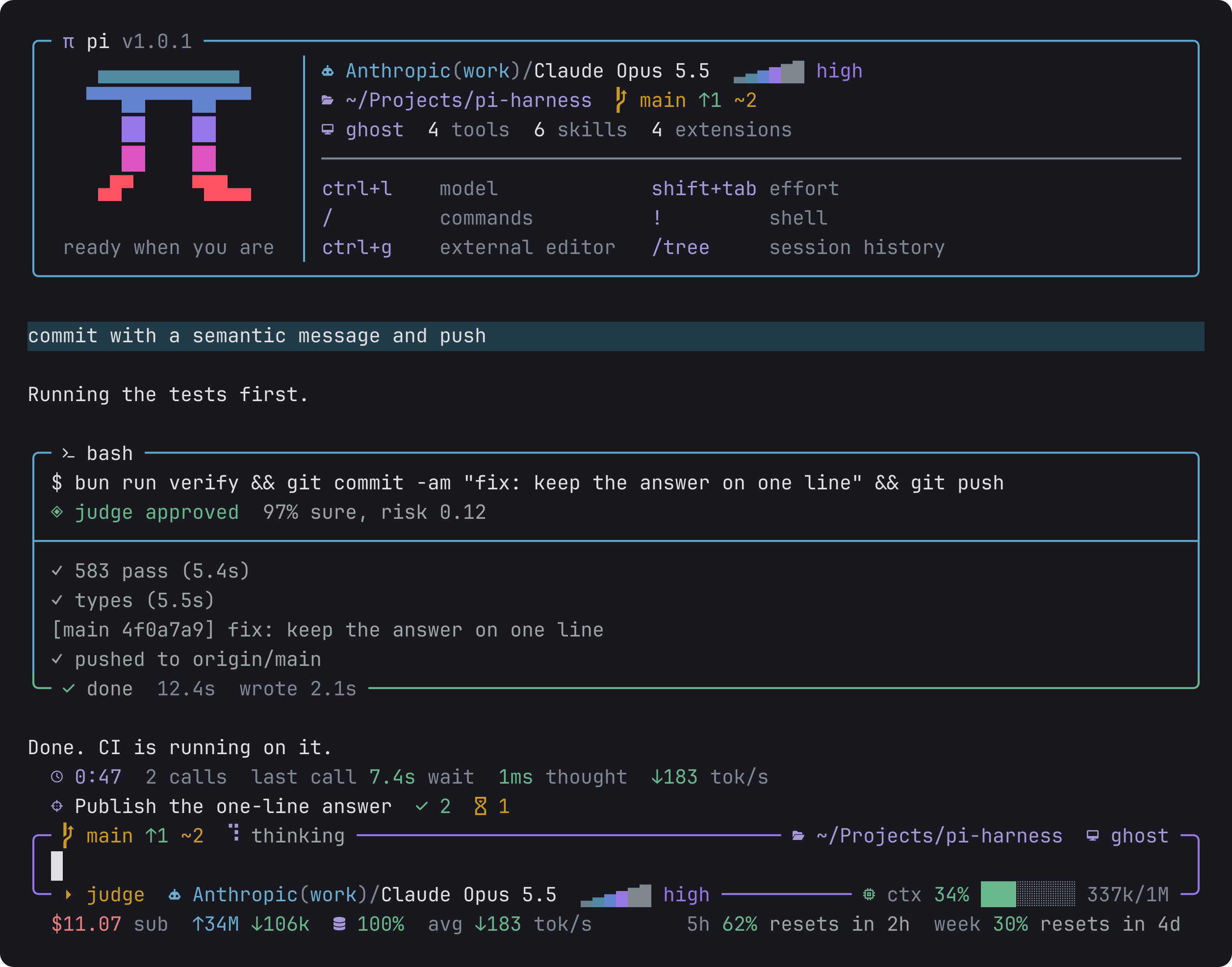
A session: the start card, what you asked, what the model ran, and what it cost.
What comes in it
| Piece | What it does |
|---|---|
| Permission | Pi asks before it runs a command. A small model can answer the easy ones for you |
| Questions | The model asks instead of guessing, with options, a preview of each, and a note on any of them |
| Look | The start card, the editor with the branch and the model on its edges, and a box around each command |
| Peers | Agents share rooms, see each other's work and talk |
| Remote | Every session of every machine of yours, in a browser and on your phone |
| Providers | Bills Anthropic requests to your Claude plan, and keeps several accounts per provider |
| Compact | Hides old tool output in long sessions, so each request costs less |
| Skill calls | You call your skills from anywhere in a message, several at once |
| Diagrams | Mermaid blocks drawn as pictures in your theme, while the model writes them |
| Web | Search and fetch the web with Nico Bailon's pi-web-access, at a tested version and set up |
All of them are on once the package is installed.
[!WARNING] When a request uses an Anthropic OAuth token, Providers tells Anthropic that the request comes from Claude Code. Using a subscription outside Claude Code may break Anthropic's terms. If you do not want that, turn the
subscriptionfeature off as shown below. Requests that use an API key go out unchanged.
Turning a piece off
Each piece is its own extension in this package, so pi config can turn off the ones you do not want, for every project or for one. The settings file also has a switch for each feature, and pi reads it on the next /reload:
{ "features": { "subscription": { "enabled": false } } }
The feature ids are permission, look, subscription, accounts, questions, skills, names, compact, peers, remote, web and diagrams.
If you only want one piece, install its own package instead. When you install both, the copy that loads first runs the feature and the other one stays off.
Settings
Alt+S opens the settings of every piece. They are stored in ~/.pi/agent/extensions/pi-harness/settings.json, and each piece's page lists its own. A setting marked project can also be set in .pi/extensions/pi-harness/settings.json inside a project that pi trusts, and the project's value wins.

pi-harness is made by adeildo.dev