
Install
Install with PiG
pig install npm:@adeildo/pi-compactInstall with Pi
pi install npm:@adeildo/pi-compactPackages run code with your permissions and influence agent behavior. Catalog inclusion is not a security audit. Review the source before installing a third-party package.
Pi manifest JSON
The pi field of package.json.
{
  "extensions": [
    "./src/index.ts"
  ]
}
README
Written by the package's publisher, shown as published in version 7.1.0 (README.md). PiG does not review it.
@adeildo/pi-compact


In a long session, every request sends the whole context again, and most of it is old tool output that the agent no longer needs. This package hides that old output and keeps what matters: your words, the agent's words and the decisions. On a week of real sessions, it cut the cost by about a third.
pi install npm:@adeildo/pi-compact
What it does
When a run ends with more than 150k tokens of context, each tool output older than the last 10 turns becomes one line that names its call:
Output hidden to save context, about 4.2k tokens. It came from: read src/view.ts. Run it again if you need it.
- Your messages, the agent's words, errors and the last 10 turns stay whole.
- When pi compacts anyway, a small model writes the summary, with your last words on top unchanged.
Each prune leaves a line in the chat with what it saved, and Ctrl+O lists the calls it hid.
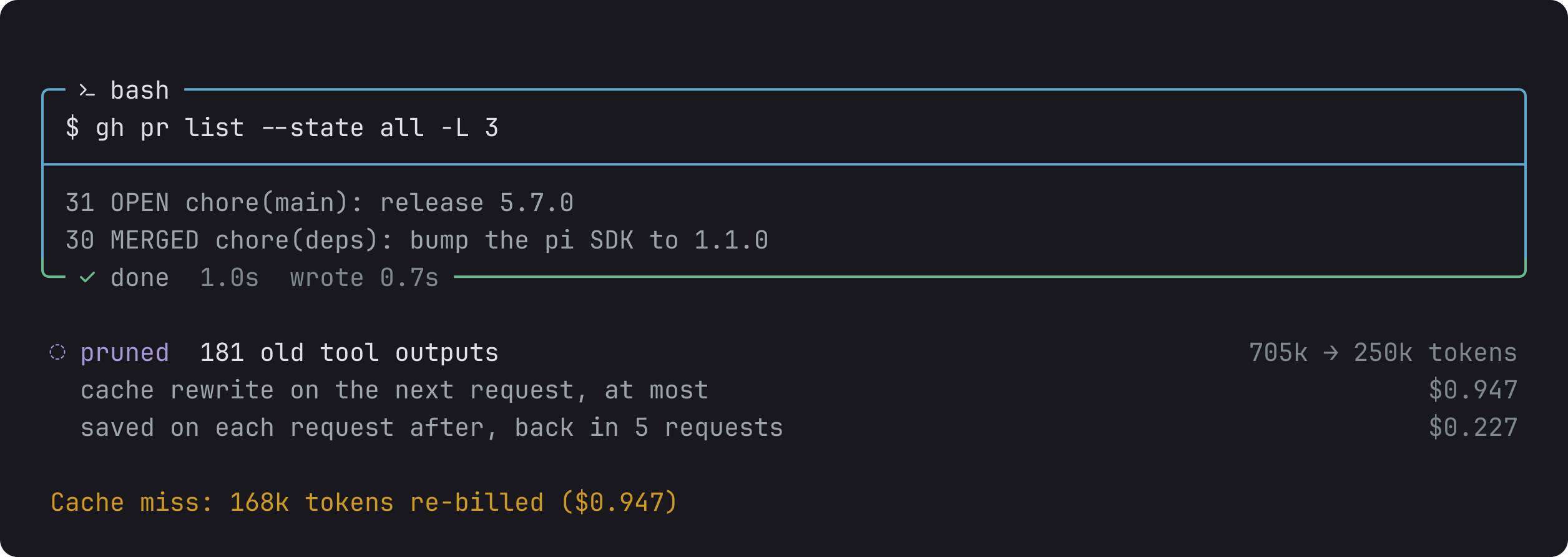
A prune's line, and the one cache rewrite it costs on the next request.
Commands and settings
/prune hides old output when the run ends, whatever the size of the context.
These are on the Compact tab of Alt+S, and stored under compact in ~/.pi/agent/extensions/pi-harness/settings.json.
| Setting | Default | What it does |
|---|---|---|
| Hide old tool output | on | Turns the prune on |
| On Anthropic's side | off | On Anthropic models, Anthropic clears old output instead of the prune, and the agent keeps its thinking |
| Above | 150000 | How many tokens of context a run must end with to prune |
| Write it on the side model | on | Pi's summary is written on the model below, with your last words on top. When off, pi uses the session's model |
| Model | auto | The model that writes the summary. auto picks the cheapest one of the session's provider |
The tab also shows what this session's prunes freed, and how many hidden outputs the agent had to run again. A high share means the prune hides output that the agent still needs.
How it works explains when a prune runs, why it works this way, Anthropic's own clearing, and how it was measured.

pi-harness is made by adeildo.dev